Quick Summary
Summarize this article instantly with your preferred AI model.
LinkedIn Matched Audiences: Target Your Own Data, Not Just Attributes
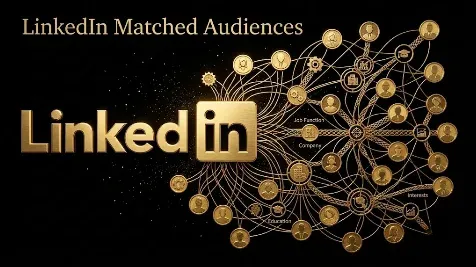
LinkedIn Matched Audiences: Target Your Own Data, Not Just Attributes
LinkedIn Matched Audiences let you target campaigns using your own data instead of only LinkedIn’s attributes, so you can run account-based marketing against a list of target companies, retarget people who visited your site or engaged with your ads, and exclude your existing customers so you stop paying to reach them. There are four main types: contact lists, company lists, website retargeting, and engagement retargeting, and each needs to match at least 300 LinkedIn members before it can run. This matters because attribute targeting reaches people who look like your buyers, while Matched Audiences reach the specific accounts and people you already know are worth reaching, which is how you cut waste and point spend at qualified pipeline. This guide covers what Matched Audiences are, the types, how to set them up, the match rates and minimums to expect, how to keep them fresh, and how to use them for exclusions.
Key takeaways
- Matched Audiences target your own data: contact lists, company lists for ABM, website visitors, and people who engaged with your content.
- Every Matched Audience needs at least 300 matched LinkedIn members to serve, and uploads need at least 300 rows, which can match to fewer.
- Audiences take up to 48 hours to build, and website audiences only start collecting after you create them, since past visits are not backfilled.
- Audiences can expire or be archived if they go unused or fall below 300, so keep list audiences refreshed and in active use.
- Use Matched Audiences as exclusions too, suppressing customers, open deals, and employees, which is one of the fastest ways to cut wasted spend.
What are LinkedIn Matched Audiences?
Matched Audiences are custom audiences you build from your own data and then target or exclude in your campaigns. Instead of describing who you want to reach with LinkedIn’s attributes, like job function and seniority, you bring a list of real companies or people, or you let LinkedIn rebuild an audience from those who already interacted with you. LinkedIn matches your data to its member base and creates an audience you can use like any other. This is the difference between renting a lookalike of your buyer and reaching your actual buyer: attribute targeting is how you find new people who fit a profile, while Matched Audiences are how you reach the named accounts in your pipeline, the prospects who visited your pricing page, and the people who watched your last video. For B2B, where you often know exactly which accounts you want, that precision is the whole point.
The types of Matched Audience
There are four main types, and together they cover known accounts, known people, and warm prospects.
| Type | What it targets | Built from | Minimum |
|---|---|---|---|
| Contact list | Known people | An email or CRM list upload | 300 rows, 300 matched |
| Company list | Target accounts for ABM | A company name or domain upload | 300 rows, 300 matched |
| Website retargeting | People who visited your site | The Insight Tag plus URL or action rules | 300 matched |
| Engagement retargeting | Warm prospects who interacted | Video, lead form, ad, page, or event engagement | 300 matched |
Contact and company lists are your first-party data going in; website and engagement retargeting are LinkedIn rebuilding an audience from activity it already tracks. Engagement retargeting is the quietly powerful one, because you can build audiences from video viewers, people who opened or submitted a lead gen form, people who engaged with a single image or document ad, company page visitors, and event attendees, each of which is a different strength of intent.
How do you set up a Matched Audience?
You build the audience once in Campaign Manager, let it process, then use it in any campaign.
- In Campaign Manager, go to Plan, then Audiences.
- Choose Create audience, then Matched Audience, and pick the source type.
- For a list, upload the current LinkedIn template; for website or engagement, define the URL rules or the interaction that qualifies someone.
- Name the audience clearly, recording its source, segment, recency, and purpose, so you can tell your audiences apart later.
- Review the terms, create the audience, and wait for it to process and match, which can take up to 48 hours.
- Confirm the audience shows enough matched members before you add it to an ad set.
A few setup facts are worth knowing. Website audiences are not backfilled, so they only start collecting visitors after you create them, which means the sooner you set up the Insight Tag and your retargeting rules, the sooner you have an audience. Keep the Insight Tag off pages with sensitive data. And you can edit or delete a Matched Audience later, so you are not locked into the first version you build.
Match rates and minimum sizes: what to expect
Two numbers govern whether an audience will actually run. First, the 300 minimum: an audience must match at least 300 LinkedIn members before you can use it, and because not every row matches, a list of exactly 300 contacts will usually fall short. Upload the largest clean list you can, and for company lists LinkedIn suggests aiming for around 1,000 names for good results. Second, the match rate: email matching on social platforms is often only partial, frequently cited around 20% to 30%, though LinkedIn often does better because people register with work emails, and company matching improves a lot when you include a company domain column alongside the name, since names alone can be ambiguous. Treat the match rate as a diagnostic of how many records LinkedIn recognized, not a measure of audience quality. If after 48 hours an audience still shows under 300, the list is too small and needs to grow before it can serve.
Keep audiences fresh and compliant
Matched Audiences are not set and forget. They can expire or be archived if they go unused for a while or if their size drops below the 300 threshold, which commonly happens to narrow website audiences on low-traffic pages or to list audiences you built once and never used. If an audience shows as expired or archived, you refresh it: re-upload or update the list, confirm it clears 300 matched members, and put it back into active use. So build a habit of refreshing your CRM-derived lists on a schedule rather than uploading once and forgetting. There is a compliance side too. You are responsible for having a lawful basis and the right consent to upload contact data, so only upload lists you are allowed to use, keep the Insight Tag off pages that collect sensitive information, and remember that your raw uploaded file is deleted after a short period, since LinkedIn stores the match, not your spreadsheet.
Target, Retarget, Exclude
The clearest way to think about Matched Audiences is the three jobs they do, which we call Target, Retarget, Exclude. Target: upload your named account and contact lists to run true account-based marketing against the companies and people you actually want, instead of a profile that merely resembles them. Retarget: rebuild warm audiences from the people who visited your site or engaged with your video, ads, lead forms, page, or events, so you follow up with the prospects who already showed interest. Exclude: suppress your customers, open opportunities, and employees so your budget is not spent reaching people who should not see the ad. Most teams use the first two and forget the third, which is a mistake, because exclusions are often the single fastest way to stop wasting spend. Run all three and your budget concentrates on the right accounts at the right stage.
Using Matched Audiences as exclusions
Exclusions are as important as inclusions, and Matched Audiences are how you build them. The obvious one is your customer list: there is rarely a reason to spend prospecting budget reaching companies that already bought, so exclude them from acquisition campaigns. Beyond that, exclude open opportunities from early-stage lead magnets, since those accounts are already in conversations and need different messaging; exclude your own employees and agencies, who inflate engagement without ever buying; exclude recent converters from the lead gen ad they just responded to; and exclude unsupported regions or disqualified accounts where the spend cannot pay off. Keep these exclusion audiences updated alongside your inclusion lists, and watch your forecast, because stacking exclusions on an already small audience can shrink it below the point where it delivers. Done well, exclusions quietly raise the quality of every impression you pay for.
Matched Audiences versus attribute and predictive audiences
It helps to know where Matched Audiences sit next to the other targeting options. Attribute targeting builds an audience from LinkedIn’s profile data, job function, seniority, industry, company size, and so on, which is how you reach new people who fit your buyer but whom you do not yet know. Matched Audiences go the other way, reaching the specific accounts and people in your own data. The two work together: a common pattern is to target a company list with Matched Audiences and then layer attribute filters like job function and seniority on top, so you reach the buying committee at your named accounts rather than anyone at them. Predictive Audiences, which have replaced the older lookalike audiences, are a third option that uses a source audience of yours as a seed to find similar members, useful as a test alongside your account list rather than a replacement for it.
Common Matched Audiences mistakes
The mistakes mostly come down to data and the 300 rule. Uploading a list too small or too stale to match 300 members, so the audience never serves, is the most common. Using a company list without layering role criteria, so you reach the receptionist and the intern as readily as the buyer, wastes reach on the right account but the wrong people. Forgetting that website audiences are not backfilled, so you set up retargeting and expect an instant audience that is actually empty until traffic accrues, catches teams out. Letting audiences expire by uploading once and never refreshing them leaves you targeting a shrinking, stale list. Skipping exclusions entirely, so you keep paying to reach customers and your own staff, leaves easy savings on the table. And mixing very different account groups into one audience, so named accounts, closed-lost, and a broad ICP all get the same message and budget, muddies both your targeting and your measurement.
Spend on your people, not everyone
Here is the thread. LinkedIn Matched Audiences are how you point spend at the accounts and people you already know are worth reaching, rather than renting a profile that only resembles them. Upload your target accounts and contacts for real ABM targeting, rebuild warm audiences from your site and engagement with the Insight Tag and retargeting, and exclude your customers and open deals so none of the budget is wasted. Pair that precision with predictive audiences when you want to find more accounts like your best ones, and judge the whole program on qualified pipeline, not reach. If you want your LinkedIn targeting built around your own data and measured on pipeline, you can book a demo.
Frequently Asked Questions
Q1. What are LinkedIn Matched Audiences?
Matched Audiences are custom audiences built from your own data rather than LinkedIn’s attributes. You can upload a list of contacts or target companies, or have LinkedIn rebuild an audience from people who visited your website or engaged with your content. LinkedIn matches your data to its members and creates an audience you can target or exclude in campaigns. They are how you reach the specific accounts and people you already know, not just a profile that resembles them.
Q2. What are the types of LinkedIn Matched Audiences?
There are four main types. Contact list targeting matches an uploaded list of people, usually by email. Company list targeting matches a list of target accounts for ABM. Website retargeting uses the Insight Tag to rebuild an audience of people who visited specific pages. Engagement retargeting builds audiences from people who interacted with your video, lead gen forms, ads, company page, or events. Each needs at least 300 matched members to run.
Q3. What is the minimum list size for LinkedIn Matched Audiences?
An audience must match at least 300 LinkedIn members before it can serve, and uploads need at least 300 rows. Because not every row matches a member, a list of exactly 300 will usually fall short, so upload the largest clean list you can. For company lists, LinkedIn suggests aiming for around 1,000 names. If an audience still shows under 300 after processing, the list is too small to use and needs to grow.
Q4. What match rate should I expect from a contact list?
Expect only a partial match, not your whole list. Email matching on social platforms is often cited around 20% to 30%, though LinkedIn frequently does better because many members register with their work email. Company list matching improves when you include a company domain column alongside the name, since names alone can be ambiguous. Treat the match rate as a measure of how many records LinkedIn recognized, not of audience quality.
Q5. How long do Matched Audiences take to build, and do they expire?
Building takes up to 48 hours to process and match, though it can be faster, and website and engagement audiences are not backfilled, so they only start collecting people after you create them. Audiences can also expire or be archived if they go unused or drop below 300 members, so refresh your lists on a schedule and keep them in use. If one shows as expired, update the list, confirm it clears 300 matched members, and put it back into a campaign.
Q6. How do you retarget website visitors on LinkedIn?
Install the LinkedIn Insight Tag on your site, then create a website Matched Audience with rules based on the URLs people visited or the actions they took. LinkedIn builds an audience of members who match, which you can target once it reaches 300 members. Because it is not backfilled, set it up early so the audience has time to grow, and keep the Insight Tag off any pages that contain sensitive data.
Q7. Can you use Matched Audiences as exclusions?
Yes, and it is one of the most valuable uses. You can exclude your customer list from acquisition campaigns, exclude open opportunities from early-stage ads, and exclude your own employees and agencies, so your budget is not spent reaching people who should not see the ad. Keep exclusion audiences updated alongside your inclusion lists, and watch your forecast, since stacking exclusions on a small audience can shrink it below the point where it delivers.
Q8. What is the difference between Matched Audiences and Predictive Audiences?
Matched Audiences reach the specific accounts and people in your own data. Predictive Audiences, which replaced the older lookalike audiences, use one of your audiences as a seed and let LinkedIn find members who resemble it, so they are for finding more accounts like your best ones. Matched Audiences are precision on who you already know; predictive audiences are expansion toward who you do not. Use predictive as a test alongside your account lists, not as a replacement.
More Featured Blogs
View All Blogs
LinkedIn Thought Leader Ads: What They Are and How to Use Them


LinkedIn Ads CTR Benchmarks: What Is a Good Click-Through Rate?
Why Are My LinkedIn Ads Not Spending? How to Fix Delivery