Quick Summary
Summarize this article instantly with your preferred AI model.
LinkedIn Predictive Audiences: What Replaced Lookalikes
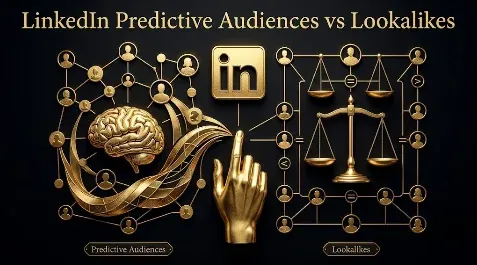
LinkedIn Predictive Audiences: What Replaced Lookalikes
LinkedIn retired lookalike audiences on February 29, 2024, and split their job across two tools: predictive audiences, which use AI to find people likely to convert based on a data source you provide, and audience expansion, a toggle that widens an existing audience to similar members. Predictive audiences are the real replacement, and they live or die on the quality of the data you seed them with: feed them your best customers and they hunt for more buyers, feed them raw form fills and they hunt for more form fillers. This guide covers what happened to lookalikes, how predictive audiences and audience expansion work, how to create a predictive audience, what to seed it with, and how to keep an automated audience honest against pipeline.
Key takeaways
- LinkedIn retired lookalike audiences on February 29, 2024; existing ones went static and were archived, and new ones cannot be created.
- Predictive audiences replaced them: LinkedIn’s AI analyzes a data source you supply (a contact or company list, your conversions, or lead gen form leads) to find likely converters.
- The data source needs between 300 and 300,000 members, you can hold up to 30 predictive audiences per account, and a campaign using one cannot also use audience expansion.
- The seed data decides everything: rank your sources by intent and seed from the top, because the AI optimizes toward whoever you feed it.
- Keep predictive audiences in their own campaigns, exclude current customers, and judge them on cost per qualified lead and pipeline, not on reach or click-through rate.
What happened to LinkedIn lookalike audiences?
LinkedIn introduced lookalike audiences in 2019 and discontinued them on February 29, 2024. From that date you could no longer create new lookalikes or edit existing ones, existing lookalike audiences stopped refreshing and became static, and after a short grace period they were archived. Campaigns already running against a lookalike kept delivering to the frozen version until you changed them. LinkedIn did not give a detailed public reason, but the shift lines up with wider privacy and data-signal changes across ad platforms. The practical point is that lookalikes are gone, and if your account still leans on an old frozen one, you are targeting a stale snapshot that no longer updates.
What replaced lookalike audiences?
Two tools took over the job, and they are not the same thing. Predictive audiences are the direct replacement for prospecting from your own data: you give LinkedIn a source, and its AI builds an audience of members who resemble the people in it who matter. Audience expansion is a lighter reach extender: you keep your existing targeting and tick a box that lets LinkedIn also serve to members similar to it. Lookalikes did a bit of both, so understanding which half of the job you are trying to do tells you which tool to reach for. Alongside both, your manually uploaded matched audiences remain the backbone for retargeting people who already showed interest.
What are LinkedIn predictive audiences and how do they work?
A predictive audience starts from a data source you already own: a contact or company list you upload, your conversion data, or the leads from a lead gen form. LinkedIn’s machine learning studies that source, looks for patterns in who they are and how they behave, and assembles a larger audience of members it predicts are likely to act the same way. The source needs between 300 and 300,000 members to work, and if your match rate comes back under about 5% that usually means fewer than 300 actually matched, so the audience will not build. You can hold up to 30 predictive audiences in an ad account, and they cannot be shared across accounts. One important constraint: a campaign using a predictive audience cannot also use audience expansion, because the prediction is already doing the widening.
How do you create a predictive audience?
The setup takes a few minutes, and the build runs in the background.
- In Campaign Manager, open the Audiences tab and click Create audience, then choose Predictive audience.
- Select your data source: a matched audience list, a lead gen form, or a conversion source. It needs between 300 and 300,000 members.
- Name the audience clearly (include the seed, for example “Predictive - Closed Won Q1”) and create it. LinkedIn builds it in anywhere from a few minutes to a few hours.
- In your campaign targeting, select the predictive audience. Remember you cannot also turn on audience expansion on that campaign.
- Exclude your current customers and open opportunities, and run the audience in its own campaign so you can read exactly what it produced.
What data should you seed a predictive audience with?
This is the decision that makes or breaks the whole thing, because the AI optimizes toward whoever you feed it. Seed it with 10,000 raw newsletter emails and it will find you more newsletter subscribers; seed it with your closed-won customers and it will look for more buyers. Rank your sources by intent and fit, and seed from the top of the ladder.
| Seed source | Intent signal | Use as a seed? |
|---|---|---|
| Closed-won customers | Highest, proven buyers | Best seed |
| SQLs and opportunities | High, sales-qualified | Strong seed |
| Demo requests and high-intent conversions | Good | Solid seed |
| Lead gen form fills | Mixed, often low intent | Weak, use with care |
| Raw email or newsletter lists | Lowest | Avoid as a seed |
The rule is simple: a predictive audience is a mirror of its seed, so give it the cleanest reflection of a real buyer you have. If your only list of 300-plus is low-intent form fills, the honest move is to wait until you have enough genuine customers or SQLs rather than training the model on the wrong people.
What is audience expansion and when should you use it?
Audience expansion is a checkbox on a campaign that lets LinkedIn serve beyond your exact targeting to members who share characteristics with it, such as similar job titles, companies, or demographics. It works with matched audiences and attribute targeting, and your reporting then covers both the original audience and the expanded slice together. It is useful when you have a validated core audience and want to extend reach carefully for prospecting. It is the wrong choice for retargeting and account-based campaigns, where the whole point is precision, and letting LinkedIn widen the audience only dilutes the people you deliberately chose. As a rule, leave expansion off for anything high-intent and consider it only on cold prospecting once your core is proven.
Predictive audiences vs audience expansion vs lookalikes
Here is how the three compare, so you can see what actually changed.
| Tool | What it does | Source | Reach control | Best for |
|---|---|---|---|---|
| Lookalikes (retired) | Found members similar to a source audience | A matched audience | Low | No longer available |
| Predictive audiences | AI finds likely converters from your data | Contact list, conversions, or lead gen leads (300 to 300,000) | Low | Prospecting from proven converter data |
| Audience expansion | Widens an existing audience to similar members | Matched or attribute targeting | Medium | Carefully extending a validated audience |
How do you keep an AI audience accountable?
Automated audiences trade control for scale, so the discipline is to keep them readable. Run each predictive audience in its own campaign rather than stacking it with other targeting, so you can see exactly what it produced. Exclude your existing customers and open opportunities from the delivery, since a prospecting audience should not spend on people already in your pipeline. Watch for audience drift: because the model widens from your seed, it can wander toward cheaper, lower-intent members over time, which shows up as rising clicks but flat or falling qualified leads. And judge the audience on the only numbers that matter, cost per qualified lead and pipeline created, not on how large it is or how cheap the clicks are. A big, cheap, busy audience that books no meetings is a failure, not a win.
Common mistakes with automated audiences
The mistakes mostly come from trusting the automation to supply judgment it cannot. Seeding a predictive audience with low-intent data and expecting high-intent leads is the big one. Leaving a frozen, retired lookalike running as though it still refreshes is another. Turning on audience expansion for retargeting and quietly undoing your own precision is a third. Stacking a predictive audience with manual targeting and then being unable to tell which did the work is a fourth. And the most common of all is judging any of these by reach or click-through rate instead of by the qualified pipeline they produce. Each one is a case of letting the tool decide something only you should.
Automate reach, not judgment
Here is the thread. LinkedIn took away the lookalike button and replaced it with smarter tools, but smarter tools do not relieve you of the judgment call that always mattered: who are you actually trying to reach, and how do you know they are worth reaching. Seed predictive audiences from your best buyers, keep audience expansion off where precision matters, run each automated audience where you can read it, and judge all of it on the cost per qualified lead and pipeline it produces rather than on reach. That is the same discipline that makes your targeting and retargeting work. If you want your LinkedIn audiences built and seeded around real pipeline, you can book a demo.
Frequently Asked Questions
Q1. What happened to LinkedIn lookalike audiences?
LinkedIn introduced lookalike audiences in 2019 and retired them on February 29, 2024. After that date you could no longer create or edit them, existing lookalikes stopped refreshing and became static, and they were archived after a short grace period. Campaigns already running against one kept delivering to the frozen audience until changed. Predictive audiences and audience expansion took over the job.
Q2. What are LinkedIn predictive audiences?
Predictive audiences are LinkedIn’s AI-built audiences that start from a data source you own, such as a contact or company list, your conversions, or lead gen form leads. LinkedIn analyzes that source, finds patterns, and builds a larger audience of members predicted to behave similarly. They are the main replacement for lookalikes and work best when seeded with high-intent, proven-buyer data.
Q3. What is the minimum and maximum size for a LinkedIn predictive audience?
The data source you seed it with needs between 300 and 300,000 members. If your match rate comes back under about 5%, that usually means fewer than 300 actually matched and the audience will not build. You can keep up to 30 predictive audiences in an ad account, and they cannot be shared between accounts.
Q4. How do you create a predictive audience on LinkedIn?
In Campaign Manager, open the Audiences tab, click Create audience, and choose Predictive audience. Select a data source (a matched audience list, a lead gen form, or a conversion source) with 300 to 300,000 members, name it, and create it. LinkedIn builds it within a few minutes to a few hours, after which you select it as targeting in a campaign.
Q5. What is the difference between predictive and lookalike audiences?
Lookalikes found members similar to a source audience based on past data and refreshed over time. Predictive audiences use machine learning to find members likely to convert based on patterns in a data source you supply, leaning on conversion-oriented data rather than a simple similarity match. Lookalikes are retired; predictive audiences are their successor and rely on fewer data sources.
Q6. Can you use audience expansion with predictive audiences?
No. A campaign using a predictive audience cannot also turn on audience expansion, because the predictive model is already widening the audience for you. Audience expansion is for extending a matched audience or attribute targeting, not for stacking on top of a prediction. Choose one approach per campaign.
Q7. What data should you use to build a predictive audience?
Use your highest-intent, best-fit data: closed-won customers first, then SQLs and opportunities, then high-intent conversions like demo requests. Avoid seeding with raw email lists or low-intent newsletter sign-ups, because the AI optimizes toward whoever you feed it, so a weak seed produces a weak audience. Quality of the seed matters more than its size beyond the 300 minimum.
Q8. Do predictive audiences work for B2B lead generation?
They can, but only with the right seed. B2B buying is driven by fit and intent, so a predictive audience seeded with real customers or SQLs can find similar buyers at scale, which makes it a genuine lead-generation tool. Seeded with low-intent form fills, it will scale the wrong people. Keep it in its own campaign, exclude current customers, and judge it on qualified pipeline rather than reach.
More Featured Blogs
View All Blogs
LinkedIn Website Demographics: See Who Actually Visits


LinkedIn Ads Engagement Rate: What It Is and What Is Good
LinkedIn Ads on a Small Budget: How to Make It Work