Quick Summary
Summarize this article instantly with your preferred AI model.
LinkedIn Ads Targeting: Job Function vs Job Title vs Seniority
LinkedIn Ads Targeting: Job Function vs Job Title vs Seniority
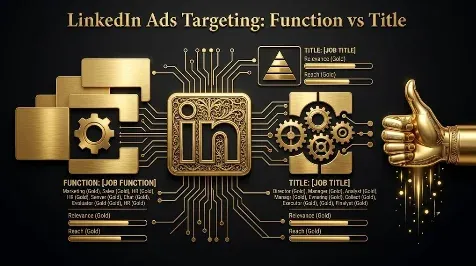
The most reliable way to target LinkedIn ads is to build your audience from job function and seniority, not from a list of exact job titles. Function and seniority are standardized categories LinkedIn infers from structured profile data, so they are predictable, while a single job title can show up as a hundred different variations and miss most of your buyers. The sharpest approach is to pick one professional pillar per campaign (title, function, skills, or groups), layer company and seniority filters on top, and run your other pillars as separate campaigns. This guide covers the attributes and how reliable each is, the four targeting pillars, the function-versus-title decision, audience size, and how to layer and exclude.
Key takeaways
- Target by job function plus seniority as your base, because both are standardized and reliable, unlike fragile exact job titles.
- One job title can match 100-plus title variations, so title targeting misses buyers; use it only as a last resort or a refinement.
- Choose one of four pillars per campaign (job title, function, skills, or groups) rather than cramming them all into one audience.
- The most reliable attributes are company name, job function, and seniority; skills and interests are the least reliable.
- Keep tightly targeted audiences in the tens of thousands, run personas as separate campaigns, and exclude the companies and roles that will never buy.
What targeting attributes does LinkedIn offer?
LinkedIn’s advantage is that its targeting runs on verified professional data members maintain themselves, not on behavioral guesses. The attributes fall into company, professional, education, and interest groups, and they are not equally reliable.
| Attribute | Reliability | Best use |
|---|---|---|
| Company name or account list | High (exact) | ABM and named accounts (up to 100 companies per list) |
| Job function | High (standardized) | A reliable base pillar |
| Seniority | High (inferred from titles) | Reaching the decision-maker level |
| Company size and industry | Good (industry uses LinkedIn’s taxonomy) | Firmographic filters and exclusions |
| Skills | Low (self-reported) | A pillar for specialized roles |
| Job title | Low (fragile, many variants) | Last resort for roles that do not map to a function |
| Interests and member traits | Low (inferred, noisy) | Rarely; an active member group is the exception |
Company revenue and growth rate exist too, but revenue is estimated and growth is new, so treat both as directional filters rather than primary targeting.
The four LinkedIn targeting pillars
Rather than stacking every attribute into one audience, choose one professional pillar per campaign. There are four, each with a different reach and precision.
| Pillar | What it targets | Strength | Weakness |
|---|---|---|---|
| Job title | Exact titles | Precise | Small audiences, high CPC, misses variants |
| Job function + seniority | A function at a level | Largest reach | Can be too broad |
| Skills + seniority | A skill at a level | Large, self-selected | Sometimes too broad |
| Groups + seniority | Members of relevant groups | Active, specialized | Smallest audiences |
Because member profiles are incomplete, no single pillar reaches everyone, so the strongest approach is to target the same persona through two or three of these pillars as separate campaigns, then spend on whichever proves most efficient. What you should not do is combine several pillars into one audience, which shrinks it without making it meaningfully more targeted.
Job function vs job title vs seniority
Within those pillars, function beats title for most campaigns. LinkedIn standardizes functions like Marketing, Sales, and Finance, so one selection catches everyone in that area regardless of how their title is worded; use two or three functions that match the buying committee and avoid going beyond three or four. Add seniority to reach the decision-maker level, typically Manager, Director, and VP, and exclude Entry and Senior for most campaigns, while treating CXO as hit or miss depending on company size. Use job title only as a last resort, for roles that do not map cleanly to a function, because a single title like “VP of Marketing” can appear as a hundred-plus related titles and targeting it directly misses most of them. If you do use titles, check the forecasted demographics before launching.
What audience size should you aim for?
LinkedIn needs at least 300 matched members to run a campaign, but that is far too small to deliver well. There are two schools of thought on the upper end. Many practitioners get the fastest learning from tight audiences in the tens of thousands, roughly 20,000 to 80,000, run as separate persona campaigns. LinkedIn and some agencies are comfortable with larger layered audiences up to a few hundred thousand. Both agree on the extremes: performance degrades below about 50,000 for a single broad audience, delivery struggles below 1,000, and above roughly 500,000 you are usually paying for reach that will not convert. If a precise audience comes out too small, widen the function or the company-size range rather than loosening seniority.
How to layer and exclude
Pick one professional pillar, then layer filters on top: a company or account layer, a location, and a seniority of manager and above. The logic matters: within a single category LinkedIn uses OR (Marketing or Sales), and across categories it uses AND (that pillar AND that seniority AND that location), so every category you add shrinks the audience. Exclusions are where a lot of wasted spend hides. Exclude company sizes you do not sell to (cut 1 to 50 employees if you sell to companies of 100-plus, or 5,000-plus if you are not yet enterprise-ready), exclude functions irrelevant to your buyer, and exclude categories like self-employed or government if they never convert. When you upload a matched account list, remember LinkedIn serves the union of your matched audience and your profile targeting unless you exclude explicitly. Finally, tighten frequency caps, roughly three to four impressions per member per week for awareness and five to seven for retargeting.
Matched audiences and retargeting
Beyond profile attributes, LinkedIn lets you target your own data through matched audiences: upload a contact list (emails match to profiles at roughly 50% to 70%), upload a company list for account-based targeting, or build website retargeting audiences from the Insight Tag. Audience expansion and lookalikes are useful for prospecting from a validated core audience, but turn them off for retargeting and account-based campaigns, where expansion only dilutes the precision you built.
Common targeting mistakes
The usual mistakes all trade precision for the illusion of reach. Targeting one exact job title misses the variants. Cramming several pillars into one audience shrinks it without sharpening it. Running a single broad, monolithic audience forever instead of segmenting hides what actually converts. Adding attributes “just in case” and using skills or interests as a base layer both lean on unreliable data. And over-segmenting is just as bad: six campaigns of 400 people each never gather enough data to optimize. Aim for two or three clean persona campaigns, each big enough to learn from.
Target the buying committee, not the biggest audience
Here is the thread. LinkedIn is the most expensive major platform per click, and precise targeting is the only thing that makes that premium worth paying, because a tightly targeted click comes from a real buyer and a loose one does not. So build on the reliable attributes, function and seniority and company, reach the actual buying committee through a few focused persona campaigns rather than one giant audience, and judge the targeting on the cost per qualified lead it produces, not on reach. If a tight audience runs expensive, that is often the right price for reaching the right people. If you want your LinkedIn targeting built around the buying committee and pipeline, you can book a demo.
Frequently Asked Questions
Q1. Should you target by job function or job title on LinkedIn?
Target by job function. LinkedIn standardizes functions like Marketing and Sales, so one selection catches everyone in that area however their title is worded, while a single job title can match a hundred-plus variations and miss most of your buyers. Use function plus seniority as your base, and keep job titles for roles that do not map to a function.
Q2. What are the four LinkedIn targeting pillars?
They are job title, job function plus seniority, skills plus seniority, and groups plus seniority. Job title is precise but narrow and expensive; function plus seniority has the widest reach; skills plus seniority reaches self-selected specialists; groups plus seniority is the narrowest and most engaged. Pick one pillar per campaign and run others as separate campaigns rather than combining them.
Q3. What are the most reliable LinkedIn targeting attributes?
Company name, job function, and seniority are the most reliable, because LinkedIn standardizes or infers them from structured data. Company size and industry are solid firmographic filters, though industry follows LinkedIn’s own taxonomy. Skills are self-reported and inconsistent, and interests and member traits are inferred and noisy, so neither should be a base layer.
Q4. What is the best LinkedIn audience size?
For a tightly targeted persona campaign, many advertisers get the fastest learning in the tens of thousands, around 20,000 to 80,000, run as separate campaigns. Broader layered audiences can run larger. Either way, a single broad audience degrades below about 50,000, delivery struggles below 1,000, and above roughly 500,000 you pay for reach that does not convert.
Q5. How do you target senior decision-makers on LinkedIn?
Combine a seniority of Director, VP, and C-Level with two or three relevant job functions and a company-size filter, so you reach senior people in the right roles at companies that can buy. For named accounts, upload a company list and filter it by seniority and function. Check the forecasted demographics before launching to confirm the mix.
Q6. How does LinkedIn targeting logic work (AND vs OR)?
Within a single category, LinkedIn uses OR, so selecting Marketing or Sales reaches either. Across categories, it uses AND, so job function AND seniority AND location must all be true. Every category you add narrows the audience, which is why one professional pillar plus a few reliable filters beats many stacked attributes.
Q7. Should you combine job function, skills, and titles in one audience?
No. Combining pillars in one audience shrinks it without making it meaningfully more targeted, and profiles are too incomplete for one stacked audience to reach everyone. Target the same persona through two or three pillars as separate campaigns, then spend on whichever proves most efficient. Keep company, location, and seniority as filters on each.
Q8. What companies should you exclude in LinkedIn targeting?
Exclude the ones that cannot or will not buy: company sizes outside your range (for example 1 to 50 employees if you sell to larger companies), industries you do not serve, and categories like self-employed or government if they never convert. When using a matched account list, set exclusions so LinkedIn does not also serve your broader profile audience.
More Featured Blogs
View All Blogs
LinkedIn Ads: Daily vs Lifetime Budget, and When to Use Each


LinkedIn Ad Relevance Score: What It Is and How to Improve It
LinkedIn Ads UTM Tracking: How to Set It Up for Clean Attribution