Quick Summary
Summarize this article instantly with your preferred AI model.
LinkedIn Follower Ads: How They Work and Whether They Are Worth It
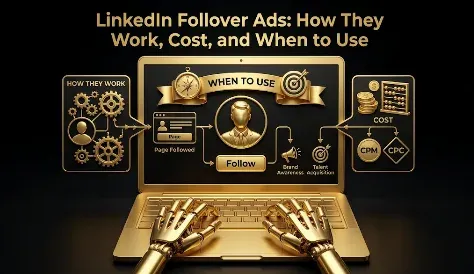
LinkedIn Follower Ads: How They Work and Whether They Are Worth It
LinkedIn Follower Ads are a personalized dynamic ad format that runs in the desktop right-hand rail and invites each viewer to follow your LinkedIn Page with a single click, showing them their own profile photo next to your company. Their one job is to grow your Page’s follower count, which is exactly why they need a skeptical eye. Followers are the easiest vanity metric on LinkedIn to buy and the easiest to mistake for progress. A paid follower mostly buys you social proof, not guaranteed reach, because LinkedIn limits how much of your Page content shows up even to people who follow you. And there are free ways to grow followers that usually beat paying for them. So Follower Ads are not a bad format, but they are only worth running in a narrow case. This guide covers how they work, the specs, what they cost, the free alternatives, and when paying for followers actually makes sense.
Key takeaways
- Follower Ads are a dynamic, desktop right-rail format that invites members to follow your LinkedIn Page with a one-click Follow button, personalized with their name and photo.
- Their only goal is follower growth, which is a vanity metric unless those followers convert, and a paid follower mainly buys social proof rather than free organic reach.
- Cost per follower varies by region and audience, from low single digits in cheaper markets to double-digit dollars in North America and for senior audiences.
- Free routes usually win first: employee invitations, the Engagement objective, and newsletters all grow followers at little or no cost.
- Consider Follower Ads only when a follower milestone genuinely matters, you exclude existing followers, and you measure what new followers do next.
What are LinkedIn Follower Ads?
Follower Ads are one of LinkedIn’s dynamic ads, the family of ads that personalize automatically to each viewer using their profile data. Where Spotlight Ads drive people to your website, Follower Ads do one specific thing: they ask the viewer to follow your LinkedIn Page, with a Follow button built right into the ad. The ad pairs the member’s own profile photo with your company name and logo and a short message, and a single click makes them a follower without leaving the page they are on.
The point of the format is to grow the audience attached to your Page. But it is worth being honest about what that audience is actually worth. The instinct is to think of followers as free future reach, people who will see all your posts from now on. In practice, LinkedIn limits how much of your Page content reaches even your own followers, so a follower is not a guaranteed set of eyeballs. Their most reliable value is social proof: a page with a healthy, relevant follower count looks credible to a prospect who clicks through from one of your other ads. To run Follower Ads you need a LinkedIn Page, since the whole format is built around following it.
How do LinkedIn Follower Ads work?
When a member who matches your targeting loads LinkedIn on desktop, the ad assembles itself for them, showing their profile photo beside your logo and a message inviting them to follow your Page. The personalization is the hook: seeing your own face next to the invitation, often with your first name in the headline, makes it feel more direct than a generic banner. The Follow button works in one click, so the member becomes a follower without going anywhere, and the follow is counted as your result.
The format has a smart piece of logic around who sees what. People who do not yet follow you see the Follow call to action, while people who already follow your Page can be shown a different button, such as Visit company, Visit jobs, or Visit life, so you are not paying to ask existing followers to follow you again. Follower Ads run in the right-hand rail on desktop, the classic placement for dynamic ads, which caps their reach compared with the feed. And because the follow happens in one click inside LinkedIn, third-party click tracking is not available for the format.
What are the LinkedIn Follower Ads specs?
There is very little creative to build, since the format assembles most of the ad from your Page and the viewer’s profile. What you control is the copy, the logo, and the call to action.
| Element | Specification |
|---|---|
| Headline | Preset or custom, up to 50 characters |
| Description | Preset or custom, up to 70 characters |
| Company name | Up to 25 characters |
| Company logo | 100 x 100 px minimum, square recommended |
| Call to action | Follow for non-followers; Visit company, jobs, or life for existing followers |
| Placement | Desktop right-hand rail |
| Billing | CPC or CPM |
LinkedIn gives you preset headlines and descriptions you can use or replace. The preset headlines use a personalization token, along the lines of “Joe, you might like to follow Acme,” and the preset descriptions lean on reasons to follow such as “Stay informed on industry news and trends.” Presets are a fine starting point, but a specific reason to follow, naming what people actually get in their feed, will always beat a generic line. With only 50 characters of headline and 70 of description, give people one clear reason and nothing more.
How much do LinkedIn Follower Ads cost?
Follower Ads bill on a cost-per-click or cost-per-impression basis, the same as other LinkedIn formats, but the number that actually matters for this format is cost per follower: what you paid divided by the followers you gained. LinkedIn publishes no official benchmark, and it varies widely by region and audience. In cheaper markets across Asia and India it can run in the low single digits per follower, while in North America and for senior or competitive audiences it commonly reaches double-digit dollars per follower. That is the figure to sit with before you run the format: paying $10 or more for a single follower, whose organic reach LinkedIn then throttles, is a high price for social proof. Weigh it against the free routes below and against what else that budget could buy. For how Follower Ads sit against every other format’s cost, see our guide to LinkedIn Ads cost.
Should you pay for followers, or grow them for free?
This is the question most guides skip, and it is the one that matters most. Before you pay for a single follower, there are free or near-free ways to grow the same audience, and for most companies they should come first.
- Employee invitations: Page admins get a monthly allotment of free invitations to send to their connections. These come from people with real ties to your brand, so acceptance rates and audience fit tend to be better than paid followers, and they cost nothing. The catch is the monthly cap and slower growth.
- The Engagement objective: a campaign optimized for engagement rewards likes, comments, and follows, and it typically grows your follower count as a byproduct while also driving actual interaction.
- Articles and newsletters: when you publish a LinkedIn newsletter from your Page, subscribers automatically become Page followers, so a good newsletter compounds your following for free.
A useful rule of thumb from practitioners is that a page starts to look established around 1,000 relevant followers, and the returns on more followers diminish sharply after that. So the sensible sequence is to grow with the free routes first, reach for Follower Ads only if hitting a follower milestone is a genuine, near-term priority, and once your page looks credible, move that budget to content and demand generation that actually produces pipeline. And never buy followers from third-party sellers: they bring no engagement, add no business value, and LinkedIn can remove them.
The owned-audience play: are Follower Ads worth it?
Here is the framework that tells you whether to run them. A Follower Ad is a bet: you pay now to turn a stranger into a follower, wagering that the asset you gain is worth more than what the follow cost. The honest accounting of that asset is where most people go wrong. A follower gives you three things: social proof on your page, a warmer audience you can reach again with other ads, and a slice, not a guarantee, of future organic reach. It does not give you a free megaphone, because LinkedIn limits how much of your content followers actually see.
So the bet pays off only when all of the following are true: follower count genuinely matters to you, usually for credibility; the paid route beats the free routes for your situation; and you have a plan to convert that audience through content and other campaigns. This is why follower count on its own is the purest vanity metric on LinkedIn. It is easy to buy, it looks like growth, and it can be completely worthless. Judge Follower Ads not by followers gained but by what those followers do next: do they engage with your posts, visit your site, enter your pipeline? If you are not publishing content worth following, or not measuring what followers do after they follow, Follower Ads are buying you a number and nothing else. The metric that is easiest to move is rarely the one that pays.
Follower Ads vs Spotlight Ads vs Sponsored Content
Follower Ads are easy to confuse with the other formats they sit beside, so here is how they divide up.
| Format | What it is for | Where it sends people |
|---|---|---|
| Follower Ads | Grow your LinkedIn Page’s follower base | A one-click follow of your Page |
| Spotlight Ads | Drive traffic to your site from a personalized ad | An external URL or landing page |
| Sponsored Content | The main workhorse for reach, engagement, and leads | Feed post, lead form, or external URL |
Follower Ads and Spotlight Ads are the two dynamic formats, both personalized and both in the desktop right rail, split by goal: Follower keeps people on LinkedIn to follow your Page, Spotlight sends them off to your site. Sponsored Content is the format that actually reaches the mobile majority, carries lead forms, and does the heavy lifting of a campaign. Follower Ads feed your organic audience; they do not replace the formats that drive leads.
When should you use LinkedIn Follower Ads?
Follower Ads make sense in a narrow set of cases. The clearest is when you have exhausted the free routes and still need to reach a follower milestone quickly, for instance a new or relaunched Page that needs an initial base of relevant followers so its posts and its account-based campaigns do not launch into an empty room. The second is when follower count among specific target accounts is a deliberate goal, so your future organic posts and ads reach people you are trying to win. In both cases the point is a credible, relevant audience, not a big number.
They are the wrong choice when you have not tried employee invitations and newsletters first, when you do not post organic content, when your goal is leads rather than audience, or when you would judge success by the follower number itself. In those cases the followers you buy will sit idle, and the budget belongs in Sponsored Content, which can actually generate pipeline. Follower Ads build an audience; they do not convert one.
Common LinkedIn Follower Ads mistakes
The biggest mistake is paying for followers before trying the free routes, when employee invitations and newsletters would have grown the same audience at lower cost and better fit. The second is treating follower count as the goal, celebrating the number while never checking whether those followers do anything. The third is running Follower Ads with no organic content behind them, so the audience you paid for never hears from you again. The fourth is not excluding existing followers, paying to reach people who already follow you. And the fifth is targeting broadly to drive down cost per follower, buying cheap, irrelevant followers who will never become customers instead of relevant ones who might.
Where Follower Ads fit
So, are LinkedIn Follower Ads worth it? Only in a narrow case, and only after the free routes. A follower mainly buys social proof and a warmer audience, not a free megaphone, and in North America it can cost double-digit dollars each, so the bar for paying is high. Grow your following with employee invitations, engagement campaigns, and newsletters first; reach for Follower Ads only when a relevant follower milestone is a real priority; exclude the people who already follow you; and measure what new followers do rather than how many you gained. If you are chasing leads or a bigger number, the money belongs in Sponsored Content. If you want your LinkedIn program built so every format, follower growth included, is measured against qualified pipeline, you can book a demo.
Frequently Asked Questions
Q1. What are LinkedIn Follower Ads?
LinkedIn Follower Ads are a personalized dynamic ad format that runs in the desktop right rail and invites members to follow your LinkedIn Page with a one-click Follow button. The ad shows each viewer their own profile photo next to your company name and logo, with a short message. Their only goal is to grow your Page’s follower base, which mainly provides social proof rather than guaranteed reach, since LinkedIn limits how much of your content followers see. They require a LinkedIn Page and are best treated as an audience-building format, not a lead driver.
Q2. How do LinkedIn Follower Ads work?
When a matching member loads LinkedIn on desktop, the ad builds itself for them, placing their profile photo beside your logo and a message, often with their first name, inviting them to follow your Page. A single click makes them a follower without leaving the page, and that follow is counted as your result. People who do not follow you see the Follow button, while existing followers can be shown a different call to action like Visit company or Visit jobs, so you avoid paying to reach people who already follow you.
Q3. What are the LinkedIn Follower Ads specs?
Follower Ads allow a headline of up to 50 characters, a description of up to 70, and a company name of up to 25, with a company logo of at least 100 x 100 pixels, square recommended. LinkedIn offers preset headlines that use a personalization token, such as “Joe, you might like to follow Acme,” and preset descriptions you can keep or replace. The call to action is a Follow button for non-followers and an option like Visit company or jobs for existing followers. Placement is the desktop right rail, and billing is CPC or CPM.
Q4. How much do LinkedIn Follower Ads cost?
Follower Ads bill on a CPC or CPM basis, but the number that matters is cost per follower, meaning your spend divided by followers gained. LinkedIn publishes no official benchmark, and it varies widely by region and audience. In cheaper markets like Asia and India it can run in the low single digits per follower, while in North America and for senior or competitive audiences it commonly reaches double-digit dollars per follower. Weigh that price against the free routes and against what the follower is actually worth, since LinkedIn throttles how much organic reach you get to them.
Q5. Are LinkedIn Follower Ads worth it?
Only in a narrow case, and only after the free routes. A follower mainly buys social proof and a warmer audience you can reach again, not a free megaphone, because LinkedIn limits organic distribution even to followers. So Follower Ads pay off when a relevant follower milestone genuinely matters to you, the paid route beats the free ones, and you have content to convert the audience. If you are not posting, not measuring what followers do next, or just want a bigger number, the budget belongs in a format that generates leads.
Q6. Is it better to pay for followers or grow them organically?
For most companies, grow them organically first. Employee invitations are free and tend to bring better-fit followers because they come from people with real ties to your brand, the Engagement objective grows followers as a byproduct of real interaction, and a LinkedIn newsletter turns subscribers into followers automatically. These cost little and usually beat paid followers on fit. A page starts to look established around 1,000 relevant followers, with diminishing returns after that, so use Follower Ads only to reach a milestone quickly, and never buy followers from third-party sellers.
Q7. What is the difference between Follower Ads and Spotlight Ads?
Both are personalized dynamic ads in the desktop right rail, but they have opposite destinations. Follower Ads keep people on LinkedIn and ask them to follow your Page with a one-click Follow button, growing your audience. Spotlight Ads send people off LinkedIn to a website or landing page you choose, driving traffic. Choose Follower Ads when your goal is to build a following you will convert through content, and Spotlight Ads when your goal is site visits. Neither carries a lead gen form.
Q8. How do you set up LinkedIn Follower Ads?
In Campaign Manager, create a dynamic ads campaign, connect your LinkedIn Page, and build the creative: a headline and description within the character limits, your logo, and the Follow call to action. Set a defined, relevant audience rather than a broad one, and exclude your existing followers so you do not pay to reach them again. Before you launch, make sure you have exhausted the free routes like employee invitations, then track what new followers do next, their engagement and downstream pipeline, rather than just the follower count.
More Featured Blogs
View All Blogs
LinkedIn Ads Best Practices: The Ones That Actually Move Results