Quick Summary
Summarize this article instantly with your preferred AI model.
LinkedIn Spotlight Ads: How They Work and When to Use Them
LinkedIn Spotlight Ads: How They Work and When to Use Them
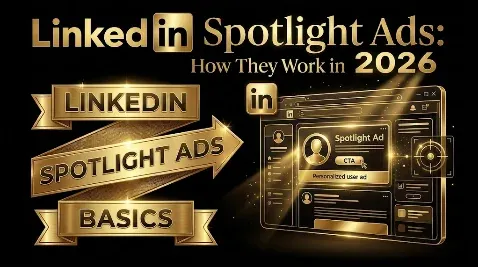
LinkedIn Spotlight Ads are a personalized dynamic ad format that appears in the right-hand rail on desktop, showing each viewer their own profile photo next to your logo and a short message, with a single button that sends them to a website or landing page you choose. They are cheap to run, they stand out because they feel personal, and they have a famously low click-through rate, often around 0.06 to 0.08 percent. That last fact is where most people get Spotlight Ads wrong. If you judge them the way you judge Sponsored Content, by clicks and click-through rate, they will always look like a failure. Spotlight Ads are not a click machine; they are a cheap, always-on visibility layer for a defined set of accounts, and they should be judged by what the account strategy around them produces, not by their own CTR. This guide covers what they are, how they work, the specs, examples, what they cost, and exactly when they earn their place.
Key takeaways
- Spotlight Ads are a LinkedIn dynamic ad format that auto-personalizes with each viewer’s profile photo and drives them to a website or landing page.
- They appear only in the desktop right-hand rail, not in the feed and not on mobile, so their reach is narrower than Sponsored Content.
- They are cheap on a CPM and CPC basis but have a very low click-through rate, around 0.06 to 0.08 percent, so they are a visibility format, not a click driver.
- Adding a background image replaces the personalized profile photo, so you trade the format’s biggest strength for a branded visual; use it only when the visual matters more.
- Judge Spotlight Ads by their contribution to account engagement and pipeline, not by their CTR, or you will switch off a format that was doing its job.
What are LinkedIn Spotlight Ads?
Spotlight Ads are one of LinkedIn’s dynamic ads, the family of ads that automatically personalize to each person who sees them using data from their LinkedIn profile. The “spotlight” is on your offer: the ad pairs the viewer’s own profile photo with your company logo, a short headline and description, and one call-to-action button that drives to an external URL. They are distinct from the other main dynamic format, Follower Ads, which are built to grow your LinkedIn Page followers rather than send people to a website.
Because they personalize automatically and sit in the right rail rather than the feed, Spotlight Ads occupy a specific niche. They are not where you run your main campaign or capture leads; they are where you keep a light, personalized presence in front of the exact accounts you care about, nudging people toward a page on your site. To run them you need a LinkedIn Page, since the format pulls your company branding from it.
How do LinkedIn Spotlight Ads work?
The mechanism is automatic personalization. When a member who matches your targeting loads LinkedIn on desktop, the ad assembles itself for them, placing their profile photo beside your logo and message. The intent is a pattern interrupt: seeing your own face in an ad is unusual enough to catch the eye in a rail most people have learned to ignore. The viewer then sees your headline, a short description, and a single button, and clicking it takes them to the URL you set.
Two constraints define how the format behaves. First, placement: Spotlight Ads show only in the right-hand column on desktop LinkedIn, so they never appear in the feed and never on mobile. That caps their reach and means a large share of LinkedIn’s mobile-first audience will not see them at all. Second, engagement: the right rail is low-attention real estate, so click-through rates are very low, commonly around 0.06 to 0.08 percent. Neither of these is a flaw to fix; they are the nature of the placement, and they are why the format is priced and used the way it is.
What are the LinkedIn Spotlight Ads specs?
Spotlight Ads give you little room, so every element has to earn its place. The creative is mostly assembled by LinkedIn from your Page and the viewer’s profile; what you control is the copy, the logo, the button, and an optional background image.
| Element | Specification |
|---|---|
| Headline | Up to 50 characters |
| Description | Up to 70 characters |
| Company name | Up to 25 characters |
| Company logo | 100 x 100 px minimum, square recommended |
| Call-to-action button | Preset or custom label, up to 18 characters |
| Custom background image (optional) | 300 x 250 px, up to 2 MB |
| Placement | Desktop right-hand rail only |
| Objective | Website visits (traffic) |
With only 50 characters of headline and 70 of description, there is no room for a nuanced pitch. Lead with one clear reason to click, name the audience or the offer plainly, and let the personalization do the attention-grabbing. The background image deserves a warning rather than a recommendation: adding one replaces the viewer’s profile photo and the description with your image, leaving a small branded content area, which means you trade away the personalization that is the format’s whole selling point. Use a background image only when a specific visual matters more to you than the personal pattern-interrupt, and in most cases leave it off.
What do good LinkedIn Spotlight Ads look like?
Because the format is so constrained, the strong examples all do the same thing: pair a tightly defined audience with one clear, relevant reason to click. A few patterns that work:
- Retargeting a demo or pricing page: target people who visited a high-intent page, headline “Still comparing [category] tools?”, description naming the one differentiator, CTA “Request Demo.” The personalization plus the warm audience makes a cheap, persistent nudge.
- ABM account visibility: target a named account list, headline “[Your product] for [their industry]”, description with a single proof point, CTA “See How.” The goal is persistent presence across the accounts, not clicks.
- Event or webinar promotion: target the roles you want in the room, headline naming the event and date, CTA “Register.” The profile-photo pattern interrupt helps a time-sensitive offer stand out in the rail.
The thread across all three is restraint: one audience, one message, one action. Spotlight Ads reward a sharp, narrow ask and punish anything that needs explaining.
Spotlight Ads vs Follower Ads vs Sponsored Content
It helps to see where Spotlight Ads sit among the formats they are most often confused with. All three can target the same audience, but they do different jobs.
| Format | What it is for | Where it sends people |
|---|---|---|
| Spotlight Ads | Drive traffic to your site from a personalized right-rail ad | An external URL or landing page |
| Follower Ads | Grow your LinkedIn Page’s follower base | Your LinkedIn Page |
| Sponsored Content | Your main in-feed workhorse for reach, engagement, and leads | Feed post, lead form, or external URL |
Spotlight and Follower Ads are the two dynamic formats, both personalized and both in the right rail, split by goal: Spotlight sends people off LinkedIn to your site, Follower keeps them on LinkedIn to follow your Page using a one-click Follow button. Sponsored Content is a different animal entirely, living in the feed, carrying far more reach and engagement, and doing the heavy lifting of a campaign. The practical takeaway is that Spotlight Ads are not a replacement for Sponsored Content; they are a cheap supplement that runs alongside it.
How to set up LinkedIn Spotlight Ads
You build Spotlight Ads in Campaign Manager like any other campaign, with a few format-specific steps. Choose the website visits objective, since that is what the format is built for, and avoid the website conversions objective, which tends to cost more to reach the same people the traffic objective already reaches. Select your audience, keeping in mind that Spotlight Ads are best aimed at a defined, high-value audience rather than a broad one. Then build the creative: write your headline and description within the tight limits, confirm the logo pulled from your Page, pick or write your call-to-action button, decide whether a background image is worth losing the personalization for, and set the destination URL with UTM parameters so you can track what the format actually contributes. Preview it, then launch. The setup is quick; the discipline is in resisting the urge to treat it like a feed ad.
The visibility layer: how to judge Spotlight Ads
Here is the framework that keeps you from making the classic mistake. Think of your LinkedIn program in layers. Sponsored Content is the engagement layer, the formats that earn attention and capture leads in the feed. Spotlight Ads are the visibility layer underneath it: cheap, always-on, personalized presence that keeps your brand in front of a target account list in between the heavier touches. The two layers are measured differently, and that is the whole point.
The engagement layer is judged on clicks, leads, and cost per qualified lead. The visibility layer is not, because it was never meant to produce those directly. A Spotlight Ad with a 0.08 percent CTR has not failed; it has quietly put your brand in front of the right people hundreds of times for very little money, warming accounts so the feed formats convert better. If you pull a Spotlight campaign because its CTR looks terrible next to your Sponsored Content, you are judging the visibility layer by the engagement layer’s scorecard, and switching off something that was doing its job. The right questions for Spotlight Ads are whether engagement from your target accounts is rising and whether the pipeline those accounts produce is growing, not what the ad’s own click-through rate is. This is the same principle that governs all of LinkedIn: measure the format by the job it is doing, and judge the program by qualified pipeline, not by the vanity metric sitting closest to hand.
When should you use LinkedIn Spotlight Ads?
Spotlight Ads earn their place in a few specific situations. The strongest is account-based marketing: when you are working a defined list of target accounts, Spotlight Ads give you cheap, persistent, personalized visibility across those accounts that runs in the background while your feed campaigns do the heavy lifting. The second is retargeting: because clicks are cheap and the ad is personalized, Spotlight Ads are a low-cost way to stay in front of people who already visited your site or engaged with your brand. The third is a steady nudge toward a specific destination, such as a key piece of content, a comparison page, or a demo page, for an audience you already have reason to reach.
They are the wrong choice when you need reach, when your audience is mostly on mobile, or when you want the format to be your primary source of clicks or leads. In those cases the desktop-only placement and the low CTR work against you, and Sponsored Content is the better home for your budget. Spotlight Ads supplement a campaign; they do not carry one.
Common LinkedIn Spotlight Ads mistakes
The most common mistake is judging Spotlight Ads by their click-through rate and killing them for underperforming, when low CTR is simply how the format behaves. The second is using them as a primary campaign instead of a supporting layer, then being disappointed by the volume. The third is running them against a broad audience, which wastes their one real strength, personalized visibility for a defined set of accounts. The fourth is adding a background image without realizing it removes the profile-photo personalization, quietly turning a personal ad into a generic banner. The fifth is skipping UTM parameters, so you can never show what the format contributed and end up cutting it in the next budget review by default. And the last is writing feed-length copy that gets truncated, instead of one sharp line built for 50 characters.
Where Spotlight Ads fit
So, are LinkedIn Spotlight Ads worth running? As a cheap, personalized visibility layer across the accounts you care about, often yes. As a standalone click or lead machine, no, and anyone measuring them that way will conclude they do not work. The format is desktop-only, tightly constrained, and low on click-through by design, and none of that is a problem as long as you give it the job it is good at and measure it accordingly. Run Spotlight Ads underneath your Sponsored Content, point them at a defined account list, track them with UTMs, and judge the whole account program on qualified pipeline rather than the Spotlight ad’s CTR. For the full picture of what every LinkedIn format costs, see our guide to LinkedIn Ads cost. And if you want your LinkedIn program built so each format is measured by the job it actually does, you can book a demo.
Frequently Asked Questions
Q1. What are LinkedIn Spotlight Ads?
LinkedIn Spotlight Ads are a dynamic ad format that personalizes to each viewer, pairing their own profile photo with your logo, a short headline and description, and one call-to-action button that drives to a website or landing page. They appear in the right-hand rail on desktop and are built to send traffic to your site rather than capture leads in the feed. They are a cheap, personalized visibility format, best used to support a campaign rather than to carry one.
Q2. How do LinkedIn Spotlight Ads work?
When someone who matches your targeting loads LinkedIn on desktop, the ad assembles itself for them, placing their profile photo next to your logo and message as a pattern interrupt in the right rail. The viewer sees your headline, description, and a single button, and clicking it sends them to the URL you set. Personalization is automatic and pulled from the member’s profile, and the format requires a LinkedIn Page because it uses your company branding.
Q3. Do LinkedIn Spotlight Ads work on mobile?
No. Spotlight Ads appear only in the right-hand rail on desktop LinkedIn, so they never show in the feed and never on mobile. This is the format’s biggest limitation, because a large share of LinkedIn activity happens on mobile, and those members will not see your Spotlight Ads at all. It is the main reason the format is a supplement to feed-based Sponsored Content rather than a replacement for it, and why you should not expect broad reach from it.
Q4. What is the difference between Spotlight Ads and Follower Ads?
Both are LinkedIn dynamic ads that personalize with the viewer’s profile and sit in the desktop right rail, but they have different goals. Spotlight Ads drive traffic off LinkedIn to a website or landing page, with a call-to-action button pointing to your URL. Follower Ads keep people on LinkedIn and are built to grow your Page’s follower base, so non-followers see a one-click Follow button instead of a link to your site. Choose Spotlight Ads when you want site visits and Follower Ads when you want to build your LinkedIn Page audience.
Q5. What are the LinkedIn Spotlight Ads specs?
The headline allows up to 50 characters, the description up to 70, and the company name up to 25, so copy has to be tight. The company logo should be at least 100 x 100 px and square, the call-to-action button accepts a preset or a custom label of up to 18 characters, and you can add an optional background image at 300 x 250 px and up to 2 MB. Note that adding a background image removes the viewer’s profile photo, so you lose the personalization. Placement is the desktop right-hand rail only, and the objective is website visits.
Q6. How much do LinkedIn Spotlight Ads cost?
Spotlight Ads bill on a cost-per-click or cost-per-impression basis, and because they sit in the low-attention right rail, both their CPMs and CPCs tend to run well below Sponsored Content. The trade-off is a very low click-through rate, around 0.06 to 0.08 percent, so you are buying cheap impressions and cheap clicks rather than high volume. A modest daily budget can generate thousands of impressions. For how this fits the wider pricing picture, see our full breakdown of LinkedIn Ads cost.
Q7. Are LinkedIn Spotlight Ads worth it?
For the right job, yes. As a cheap, always-on, personalized visibility layer across a defined target account list, or as a low-cost retargeting format, Spotlight Ads earn their place running alongside Sponsored Content. As a standalone source of clicks or leads, they are not worth it, because the desktop-only placement and very low CTR work against volume. The answer depends entirely on whether you measure them as a visibility layer or hold them to the engagement layer’s scorecard.
Q8. How do you set up LinkedIn Spotlight Ads?
In Campaign Manager, create a campaign with the website visits objective, which is what the format is built for. Set a defined, high-value audience rather than a broad one, then build the creative: a headline and description within the character limits, the logo from your Page, a call-to-action button, an optional background image if a visual is worth losing the personalization for, and a destination URL tagged with UTM parameters so you can track the format’s contribution. Preview and launch, and resist treating it like a feed ad.
More Featured Blogs
View All Blogs
LinkedIn Ads Best Practices: The Ones That Actually Move Results