Quick Summary
Summarize this article instantly with your preferred AI model.
LinkedIn Audience Network: Reach Off LinkedIn Without Wasting Spend
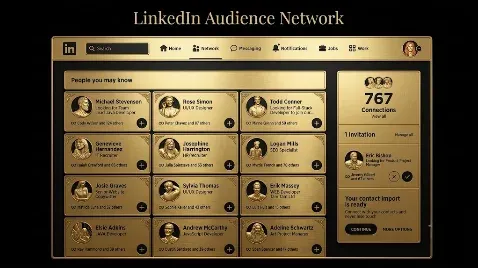
LinkedIn Audience Network: Reach Off LinkedIn Without Wasting Spend
The LinkedIn Audience Network, often shortened to LAN, extends your Sponsored Content ads beyond the LinkedIn feed to a network of thousands of third-party apps and websites, so you can reach the same targeted professionals while they are off LinkedIn, and LinkedIn says it can add up to 25% more reach. It is on by default for image and video Sponsored Content, so you are probably already running on it. The catch is that attention and context are weaker off-platform, so cheap extra impressions and clicks can look like performance while adding little qualified pipeline. The right way to treat LAN is as a reach extension you control and measure, not a free win: use the placement controls, read the on-network versus off-network breakdown, and judge it on qualified leads rather than CPM. This guide covers what LAN is, how it works, how it differs from Audience Expansion, how to control it, how to measure it, and when it is worth using.
Key takeaways
- LAN extends your Sponsored Content to thousands of third-party apps and sites, reaching your targeted audience off LinkedIn, with up to 25% more reach by LinkedIn’s own claim.
- It is enabled by default for image and video Sponsored Content, so you may be running on it without having decided to.
- It is not the same as Audience Expansion: the network is off-platform placement, while expansion widens your targeting to similar people on LinkedIn.
- Off-platform impressions are cheaper but carry weaker context, so they can inflate reach and clicks without adding qualified pipeline; control placements and measure the split.
- Judge LAN on qualified leads and cost per qualified lead, not on cheaper CPMs or extra clicks.
What is the LinkedIn Audience Network?
The LinkedIn Audience Network is LinkedIn’s way of showing your ads to your target audience when they are not on LinkedIn. LinkedIn has a network of thousands of premium partner apps and websites, and LAN places your Sponsored Content in front of the same professionals you are already targeting as they browse those third-party properties. The targeting is the same as your LinkedIn campaign, so you are still reaching, say, marketing directors at mid-market SaaS companies; LAN just reaches them in more places. LinkedIn positions it as a way to reach millions of professionals across more touchpoints, and claims it can extend a campaign’s reach by up to 25%. The important mental shift is that LAN is not a new audience, it is the same audience in a different, lower-attention environment, which is exactly why it needs more control than the feed.
How does the LinkedIn Audience Network work?
LAN runs your existing Sponsored Content across the network using your existing targeting, and it is switched on by default for eligible campaigns. Here is the shape of it at a glance.
| Element | What to know |
|---|---|
| What it is | Your Sponsored Content shown on thousands of third-party apps and sites |
| Reach | Up to 25% more reach, by LinkedIn’s own claim |
| Formats | Image and video Sponsored Content |
| Default | On by default for eligible image and video campaigns |
| Best for | Awareness and consideration objectives, where reach and frequency help |
| Targeting | Your existing campaign targeting, extended off-platform |
| Controls | Category exclusions using IAB definitions, plus block lists |
| Measurement | On-network versus off-network breakdown in Campaign Performance |
Because it is default-on for image and video campaigns, the practical starting point is not “should I turn LAN on” but “do I know it is on, and am I controlling and measuring it.” Most of the waste comes from advertisers who never realized the network was running.
Audience Network versus Audience Expansion
These two are constantly confused, and the confusion costs money, so it is worth being precise. The Audience Network is about placement: it shows your ads off LinkedIn, on third-party apps and sites, to the audience you already target. Audience Expansion is about targeting: it widens your audience to people LinkedIn judges similar to the ones you selected, and those ads still run on LinkedIn. One changes where your ads appear; the other changes who sees them. Both are turned on in campaign setup, both can quietly loosen a tightly defined campaign, and both deserve a deliberate decision rather than being left at their default. If you run account-based or narrowly targeted campaigns, check both settings, because either one can stretch your spend beyond the list you meant to reach.
What are the benefits, and the catch?
The benefit is straightforward: more reach and more frequency against the audience you already defined, often at a lower cost per impression than the LinkedIn feed, because off-platform inventory is cheaper. For awareness and consideration campaigns where getting in front of the right people more often genuinely helps, that extra reach can lift results, and LinkedIn says advertisers running on both the feed and the network can see better return on ad spend. The catch is context and attention. A professional scrolling the LinkedIn feed is in a work mindset; the same person inside a mobile game or a general news app is not, and your ad competes for much less attention there. So off-network impressions are cheaper for a reason, and the risk is that they inflate your reach and click numbers while contributing little to qualified pipeline. That is the whole tension with LAN: real incremental reach on one side, weaker-quality attention on the other.
How do you control placements and brand safety?
This is where LAN is won or lost, so use the controls rather than leaving it fully open. LinkedIn applies its own protections against fraud and objectionable content across the network, and on top of that you can exclude whole publisher categories during campaign setup, following standard IAB category definitions, and apply block lists to keep your ads off specific apps and sites you do not want to appear on. Review where your ads actually ran and add anything off-brand to your block list, so the network tightens over time. The goal is not to make LAN perfectly safe, which no network is, but to keep your ads away from the low-quality and off-brand inventory that produces cheap clicks and no pipeline. A controlled network is a reasonable reach extension; an uncontrolled one is where budget quietly leaks.
How do you measure what the Audience Network adds?
Do not judge LAN on blended numbers, because the feed and the network behave differently and blending them hides the truth. Campaign Manager gives you an on-network versus off-network breakdown in your campaign performance, which splits impressions, clicks, and other metrics by where they happened. Read that split, then go one step further and connect it to lead quality: look at whether the off-network traffic is producing qualified leads and pipeline, not just clicks and cheap conversions. If the network is adding qualified leads at an acceptable cost per qualified lead, keep it on; if it is adding clicks and form fills that never progress, the cheap CPM is a false economy and you should turn it off for that campaign. The breakdown tells you what the network did; your CRM tells you whether it mattered.
Extend, Control, Verify: a framework for LAN
The way to run LAN without wasting spend is a three-step loop we call Extend, Control, Verify. Extend: let LAN widen reach and frequency on awareness and consideration campaigns, where reaching the right people more often genuinely helps, rather than on your most conversion-focused campaigns. Control: apply category exclusions and block lists from the start, and keep refining the block list based on where your ads actually appear. Verify: read the on-network versus off-network breakdown and tie it to downstream lead quality, and switch LAN off for any campaign where it adds clicks but not qualified pipeline. Extend for reach, control for quality, verify against pipeline, and LAN becomes a deliberate lever instead of a default you never examined.
When should you use the LinkedIn Audience Network?
LAN makes the most sense on upper-funnel campaigns, awareness and consideration, where added reach and frequency against your target audience do real work, and where you have the budget to extend beyond the feed. It is more questionable on tightly conversion-focused or lead-gen campaigns, where the weaker off-platform context often means the extra clicks do not convert as well, and where you would rather concentrate spend on the higher-attention feed. The honest rule is to decide per campaign rather than leave the default in place: turn LAN on where reach helps and you will control and measure it, and turn it off where you want every impression in the high-attention LinkedIn feed. Either way, the decision should be yours, not the default setting’s.
Common Audience Network mistakes
The mistakes nearly all come from treating LAN as a free win. Not realizing it is on by default, so you are running off-platform without deciding to, is the most common. Confusing it with Audience Expansion, and so loosening both placement and targeting at once, is close behind. Leaving it fully open with no category exclusions or block list, so your ads appear on low-quality or off-brand inventory, wastes spend. Judging LAN on blended metrics, so cheap off-network impressions flatter your CPM and CTR while hiding weak quality, leads you to the wrong conclusion. And chasing the cheaper cost per click without checking lead quality is the trap the low prices are designed to spring.
Reach more, but judge it on pipeline
Here is the thread. LAN genuinely extends your reach to the same target audience off LinkedIn, and for the right campaigns that is worth having, but the attention off-platform is weaker, so the cheap impressions and clicks it adds are only valuable if they turn into qualified pipeline. Control the placements, measure the network separately with the on-network versus off-network breakdown, and tie it to the cost per qualified lead your CRM confirms, the same discipline you would bring to video reach or any targeting decision. Reach more, but judge it on pipeline, not on the cheaper CPM. If you want your LinkedIn campaigns extended and measured so reach turns into qualified pipeline, you can book a demo.
Frequently Asked Questions
Q1. What is the LinkedIn Audience Network?
The LinkedIn Audience Network, or LAN, extends your Sponsored Content ads beyond the LinkedIn feed to a network of thousands of third-party apps and websites, so you reach the same targeted professionals when they are off LinkedIn. It uses your existing campaign targeting, so the audience is the same; only the placement changes. LinkedIn says it can add up to 25% more reach, and it is enabled by default for image and video Sponsored Content.
Q2. How much extra reach does the LinkedIn Audience Network add?
LinkedIn claims the Audience Network can extend a campaign’s reach by up to 25% by showing your Sponsored Content to your target audience on third-party apps and sites. Treat that as a platform-reported figure rather than a guarantee, since the actual lift depends on your audience, budget, and campaign. The more useful question is not how much reach it adds, but whether that reach turns into qualified pipeline at an acceptable cost.
Q3. What is the difference between the LinkedIn Audience Network and Audience Expansion?
They are different settings people often confuse. The Audience Network changes where your ads appear, showing them off LinkedIn on third-party apps and sites to the audience you already target. Audience Expansion changes who sees your ads, widening your targeting to people LinkedIn judges similar to your selected audience, with those ads still on LinkedIn. One is placement, the other is targeting; check both in campaign setup, since each can stretch spend beyond your intended list.
Q4. Is the LinkedIn Audience Network on by default?
Yes. For eligible image and video Sponsored Content campaigns, the Audience Network is enabled by default, which means many advertisers are running off-platform without having consciously chosen to. That is not a problem in itself, but it becomes one if you never apply placement controls or measure the network separately. Check whether it is on for your campaigns and decide deliberately, rather than leaving the default in place.
Q5. How do you turn off the LinkedIn Audience Network?
You can disable the Audience Network at the campaign level in Campaign Manager, in the campaign’s settings where the network preference sits, so a campaign runs on the LinkedIn feed only. Exact labels shift as LinkedIn updates the interface, so look in the campaign setup for the Audience Network option. Turn it off where you want every impression in the high-attention LinkedIn feed, and leave it on for reach campaigns where you will control and measure it.
Q6. How do you control where your ads show on the Audience Network?
LinkedIn applies its own protections against fraud and objectionable content, and you can exclude whole publisher categories during campaign setup using standard IAB definitions, plus apply block lists to keep your ads off specific apps and sites. Review where your ads actually ran and add anything off-brand to the block list, so the network tightens over time. Controlling placements is what separates a useful reach extension from quiet budget waste.
Q7. Does the LinkedIn Audience Network perform as well as the LinkedIn feed?
It depends on what you measure. The network usually delivers cheaper impressions and extra reach, but the off-platform context carries weaker attention than the LinkedIn feed, so the quality of engagement is often lower. For awareness and consideration it can lift results; for tightly conversion-focused campaigns the feed often earns its premium. The only way to know for your account is to read the on-network versus off-network breakdown and check lead quality.
Q8. How do you measure the LinkedIn Audience Network?
Use the on-network versus off-network breakdown in Campaign Manager, which splits impressions, clicks, and other metrics by where they happened, so you are not judging LAN on blended numbers. Then connect that split to lead quality in your CRM: check whether off-network traffic produces qualified leads and pipeline, not just cheap clicks. Keep LAN on where it adds qualified leads at an acceptable cost, and turn it off where it does not.
More Featured Blogs
View All Blogs
LinkedIn Ads and Microsoft Dynamics 365: How to Connect Them


LinkedIn Ads and Salesforce: How to Connect Them and Why
LinkedIn BrandLink: Brand Video Alongside Creators and Publishers