Quick Summary
Summarize this article instantly with your preferred AI model.
LinkedIn Ads Forecasting: How to Read the Forecasted Results
LinkedIn Ads Forecasting: How to Read the Forecasted Results
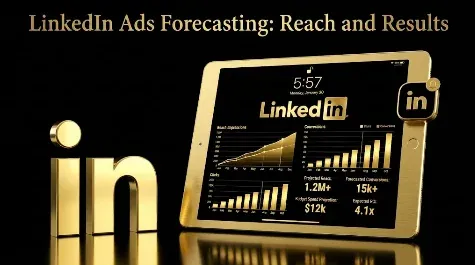
LinkedIn’s forecasted results panel appears while you build a campaign and estimates what your settings will produce: your target audience size, a demographic breakdown of who that audience is, and forecast figures for impressions, clicks, average click-through rate, and spend over your schedule, plus estimated results like leads for a lead-generation objective. It updates live as you change the audience, bid, budget, and dates, which makes it a planning tool, not a promise. The honest way to use it is as a feasibility check before you spend: is this the right audience, at the right size, and can the budget realistically produce enough qualified leads at a cost you can live with? This guide covers what the forecast shows, who it says you will reach, how accurate it is, and how to use it to plan a campaign that can actually produce pipeline.
Key takeaways
- The forecasted results panel estimates target audience size, impressions, clicks, average CTR, and spend, plus estimated results for lead objectives, updating live as you adjust the campaign.
- It also shows an audience demographic breakdown (job function, seniority, experience, company size, industry), so you can check who you will reach, not just how many.
- The figures are directional estimates based on historical data, not guarantees of performance.
- Your audience needs at least 300 members to forecast, and performance degrades well before the forecast looks thin.
- Use the forecast as a feasibility check: right audience and size, enough volume to learn, and an implied cost that fits your target, all pointed at qualified leads.
What is the LinkedIn forecasted results tool?
The forecasted results tool is the estimate panel built into Campaign Manager that shows what a campaign is likely to deliver before you launch it. As you set up a campaign, it sits alongside your settings and projects the outcomes of the audience, objective, bid, budget, and schedule you have chosen. It exists because LinkedIn is expensive and audiences are small, so you want a sanity check before committing spend, rather than launching blind and finding out two weeks later that the audience was too small or the budget too thin. Think of it as a flight plan: useful for deciding whether the trip is viable, who is on board, and roughly what it will cost, not a guarantee of the exact arrival time.
What does the forecast show?
The panel reports a handful of figures, and each answers a planning question. Exact fields vary by objective and by interface version, so confirm the current labels in Campaign Manager.
| Forecast figure | What it tells you | How to read it |
|---|---|---|
| Target audience size | How many members match your targeting | Is it big enough to deliver, tight enough to be relevant |
| Forecasted impressions | Reach your budget buys over the schedule | Whether you will reach enough of the audience |
| Forecasted clicks | Expected clicks at your bid and budget | The traffic the plan implies |
| Average CTR | Expected click-through rate | A rough quality read on audience and offer fit |
| Forecasted spend | What the schedule is likely to spend | Whether delivery matches your intended budget |
| Estimated results | For lead objectives, the leads implied | Whether the plan can produce enough conversions |
For reach and lead objectives, LinkedIn can also estimate cost per reach, cost per thousand impressions, and cost per lead, which are the figures that turn the forecast from a reach estimate into a cost plan.
Who will you reach? The audience demographic forecast
Alongside the numbers, the panel breaks down the composition of your forecasted audience, and this is the part most advertisers overlook. It shows how your target audience splits across categories like job function, job seniority, years of experience, company size, and company industry. That lets you check who you will actually reach before you spend a cent, not just how many. If you are targeting decision-makers but the breakdown skews junior, or you mean to reach enterprise but it skews small-business, your targeting is off and you can fix it now rather than after a month of wasted delivery. The breakdown updates in real time as you adjust targeting, so you can watch the composition shift and tune it toward your real buyer. For a matched or lookalike audience, it is also how you learn who is actually inside it, which shapes your creative and messaging.
How accurate is the LinkedIn forecast?
Treat it as directional, not exact. LinkedIn builds the forecast from historical delivery data for audiences and settings like yours, and it clearly labels the figures as estimates that do not guarantee actual performance. In practice it is reasonably good at the shape of things, whether an audience is deliverable, roughly how far a budget stretches, the ballpark cost, and the makeup of who you will reach, and less reliable at precise counts. It also needs a minimum audience of about 300 members just to forecast, and real performance degrades well before an audience gets that small, so a forecast that only just computes is itself a warning. Use it to compare scenarios and check feasibility, not to promise a client an exact number of leads.
The three-question feasibility check
The most useful way to read a forecast is as a go or no-go check before you spend, built on three questions. We call it the feasibility check.
- Audience: is it the right people and the right size, with a demographic breakdown that matches your buyer, big enough to deliver (broadly tens of thousands for a focused B2B persona) but tight enough to stay relevant?
- Volume: can the budget buy enough results to learn? LinkedIn’s optimization needs roughly 50 conversions a month to exit the learning phase, so if the forecast implies a handful of leads, the campaign will struggle to optimize.
- Cost: does the implied cost per lead or cost per thousand impressions fit your target? If the forecast already shows a cost per lead above what a lead is worth to you, the plan needs fixing before launch, not after.
If any of the three fails, change the audience, budget, or offer before you spend, not after you have paid for the lesson.
How do audience, bid, and budget change the forecast?
The forecast moves as you adjust the campaign, and watching it move is how you plan. Widening the audience or adding reliable attributes raises the forecasted audience size and impressions and shifts the demographic breakdown; over-tightening with stacked filters shrinks them until delivery looks starved. Raising the bid or budget increases forecasted impressions and clicks, but watch the implied cost per result, because spending more to win a tiny audience often raises cost rather than volume. Changing the schedule spreads the same budget over more or fewer days, which changes daily delivery. The practical method is to start from your real budget and target cost per lead, then adjust the audience until the forecast shows the right people at enough deliverable volume and a cost that works, rather than chasing the largest reach the tool will show you.
How to use the forecast to plan budget
Work backward from the result you need. Decide what a qualified lead is worth and how many you need, then use the forecast’s estimated results and cost per lead to see what budget and audience would produce that, checking that the monthly volume clears the roughly 50 conversions that let the algorithm optimize. If the forecast says your budget buys plenty of impressions but few leads, the issue is usually audience fit or offer, not spend. If it says the audience is too small to deliver, widen the company-size band or add an adjacent function rather than loosening seniority. The forecast is most valuable not as a prediction you report, but as the step where you catch an unworkable plan, wrong people, too few, too costly, before it costs you a month of budget.
Common forecasting mistakes
The mistakes come from trusting the forecast as a promise or reading it for the wrong number. Treating the estimate as a guarantee and reporting it to a client as a commitment sets up disappointment. Chasing the biggest forecasted reach or clicks, rather than the feasibility of qualified leads, optimizes for vanity before you have even launched. Ignoring the demographic breakdown and launching on an audience that skews to the wrong seniority wastes spend you could have saved. Pushing budget up to force a bigger forecast on a tiny audience raises cost per result instead of volume. And skipping the forecast entirely, then discovering the audience was unworkable after two weeks of spend, is the most expensive mistake of all, since the check was free.
Forecast to pipeline, not reach
Here is the thread. The forecasted results panel is a planning tool, and its value is letting you catch an unworkable plan before you spend, not predicting an exact outcome. So read it as a feasibility check: the right people in the breakdown, an audience sized to deliver, enough volume to learn, and an implied cost that fits, all pointed at qualified leads rather than the largest reach number on the screen. Build the plan from your target cost per lead and real budget, size the targeting to deliver the right buyers, and treat the forecast as the moment to fix the plan, not flatter it. If you want your LinkedIn campaigns planned and forecast against pipeline, you can book a demo.
Frequently Asked Questions
Q1. What is the LinkedIn forecasted results tool?
It is the estimate panel in Campaign Manager that projects what a campaign will deliver before you launch, based on your audience, objective, bid, budget, and schedule. It shows target audience size, a demographic breakdown of that audience, and forecast figures for impressions, clicks, average CTR, spend, and, for lead objectives, estimated results. It updates live as you change settings, which makes it a planning and sanity-check tool.
Q2. What does the LinkedIn forecast show?
Target audience size, forecasted impressions, forecasted clicks, average click-through rate, and forecasted spend over your schedule, plus estimated results such as leads for a lead-generation objective. It also breaks the audience down by job function, seniority, experience, company size, and industry. For reach and lead objectives it can estimate cost per reach, cost per thousand impressions, and cost per lead. Exact fields vary by objective and interface version.
Q3. Does the LinkedIn forecast show audience demographics?
Yes. Alongside the size and performance estimates, the panel breaks your forecasted audience down across categories such as job function, job seniority, years of experience, company size, and industry. This lets you confirm you are reaching the right people before launching, and it updates in real time as you change targeting, so you can tune the composition toward your actual buyer.
Q4. How accurate are LinkedIn ad forecasts?
They are directional estimates, not guarantees. LinkedIn builds them from historical delivery data for similar audiences and settings, and labels them as estimates. They are good for judging whether an audience is deliverable, who you will reach, and roughly what a budget buys, and less reliable for exact counts. Use them to compare scenarios and check feasibility, not to promise an exact number of leads.
Q5. What is the minimum audience size to forecast on LinkedIn?
LinkedIn needs an audience of at least about 300 members to forecast, and campaigns generally need larger audiences to deliver well. A forecast that only just computes on a tiny audience is itself a warning sign, because real performance degrades well before that floor. For a focused B2B persona, aim for an audience in the tens of thousands so the campaign can both deliver and stay relevant.
Q6. How do I use the forecast to plan my budget?
Work backward. Decide what a qualified lead is worth and how many you need, then use the estimated results and cost per lead to find the budget and audience that produce that, checking the monthly volume clears roughly 50 conversions so the algorithm can optimize. If the forecast shows plenty of impressions but few leads, fix the audience or offer rather than simply adding budget.
Q7. Why does my LinkedIn forecast change when I adjust the audience?
Because the forecast is recalculated from your current settings. Widening the audience or adding attributes raises forecasted audience size and impressions and shifts the demographic breakdown; over-tightening shrinks them until delivery looks starved. Raising bid or budget lifts forecasted impressions and clicks but can raise cost per result on a small audience. Watching the forecast move as you adjust is how you find a deliverable, cost-effective plan.
Q8. Does a good forecast guarantee good results?
No. A strong forecast means the plan is deliverable, aimed at the right audience, and the cost looks reasonable, but it does not guarantee qualified pipeline, because reach and clicks are not the same as buyers. A campaign can hit its forecasted impressions and still produce no qualified leads if the offer is wrong. Judge the live campaign on cost per qualified lead, and use the forecast only to check feasibility first.
More Featured Blogs
View All Blogs
LinkedIn Insight Tag with Google Tag Manager: A Setup Guide


Why LinkedIn Ads and Google Analytics Numbers Never Match

LinkedIn Business Manager: What It Is and Who Needs It