Quick Summary
Summarize this article instantly with your preferred AI model.
LinkedIn Message Ads: How They Work and When to Use Them
LinkedIn Message Ads: How They Work and When to Use Them
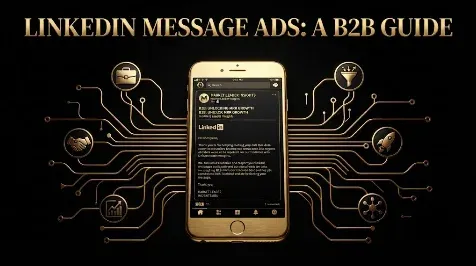
LinkedIn Message Ads, which were called Sponsored InMail until LinkedIn rebranded them in 2020, deliver a single sponsored message straight to a member’s LinkedIn inbox with one call-to-action button. They are a form of Sponsored Messaging, and they stand out for high open rates and for being billed per send rather than per click. Three things shape how you use them: you pay for every message delivered whether it is opened or not, a member can only receive one sponsored message every 30 days, and delivery is restricted to members outside the EU. This guide covers how Message Ads work, what they cost, how they perform, and when they are worth running.
Key takeaways
- Message Ads deliver one sponsored message to the LinkedIn inbox with a single call to action. They were formerly called Sponsored InMail.
- They are billed on a cost-per-send basis, roughly $0.25 to $0.75 per send, rising to $1.50 or more for senior audiences.
- Open rates are high (40% to 55%), but you are charged on sends, so a weak audience wastes budget.
- A member can receive only one sponsored message every 30 days, and delivery is restricted for members in the EU.
- Use them for warm, high-value audiences such as event invites, demos, and ABM, not cold broad reach.
What are LinkedIn Message Ads?
A Message Ad is a single, direct message placed in a member’s LinkedIn inbox, sent from a LinkedIn member on behalf of your brand. It carries a subject line (up to 60 characters), a message body (up to 1,500 characters), and one call-to-action button. Because it lands in the inbox rather than the feed, it feels more personal and tends to get opened, which is the format’s main strength. LinkedIn rebranded this format from “Sponsored InMail” to “Message Ads” in 2020 to separate paid messages from organic InMail, though the delivery mechanism is the same.
Message Ads are one half of LinkedIn’s Sponsored Messaging; the other is Conversation Ads. A Message Ad delivers one message with one CTA, while a Conversation Ad offers a choose-your-path set of buttons and reportedly earns around three times the reply rate (more in the conversation ads guide). Use a Message Ad when you have one clear offer, and a Conversation Ad when you want to branch.
How much do LinkedIn Message Ads cost?
This is the most important mechanical difference from feed ads. Message Ads are billed on a cost-per-send basis: you pay for every message delivered to an inbox, whether or not the person opens or clicks it. Costs run roughly $0.25 to $0.75 per send for a standard audience, rising to $1.50 or more for senior, hard-to-reach roles, and cost per lead commonly lands between $50 and $200 or more. Because you pay per send, you budget by the number of sends, and a tight, high-value audience is essential, since every wasted send still costs you.
How Message Ads perform
Message Ads post high open rates, typically 40% to 55%, well above email, because the message arrives in a less crowded inbox and is marked as sponsored. Click-through inside opened messages runs around 3% to 7%, and conversion rates for the format are strong, often in the 10% to 15% range, because the audience is usually warm. The catch is the frequency cap: a member can receive only one sponsored message every 30 days from any advertiser, which protects the inbox but limits how often you can reach someone. Judge the format on downstream conversions and pipeline, not on the open rate, since a high open rate with no meetings booked is a vanity number.
The 30-day cap and the EU restriction
Two limits shape planning. First, frequency: LinkedIn allows a member to receive just one sponsored message every 30 days, across all advertisers, and this cannot be overridden, so you cannot rely on repeat sends to the same person. Second, geography: LinkedIn restricts Sponsored Messaging delivery to members located in the European Union, to comply with European privacy regulation, so if your audience is in the EU, Message Ads are not an option and you will need feed formats instead. Always confirm your target geography and plan around the 30-day cap before committing budget.
When to use LinkedIn Message Ads
Because you pay per send, the inbox is personal, and you get one shot every 30 days, Message Ads work best on warm, high-value, non-EU audiences where a direct message is welcome. Strong use cases are event and webinar invitations, demo or meeting offers to a known list, and ABM outreach to specific target accounts. They are a poor fit for cold, broad reach, because every send costs money and a generic message to strangers wastes it. Treat Message Ads as a precision tool for people who already have a reason to hear from you, with a short message and one clear ask. If you want help deciding where Message Ads fit in your LinkedIn mix, you can book a demo.
Frequently Asked Questions
Q1. What are LinkedIn Message Ads?
LinkedIn Message Ads, formerly Sponsored InMail, are single sponsored messages delivered to a member’s LinkedIn inbox with one call-to-action button. They are part of Sponsored Messaging, feel more personal than feed ads, and post high open rates. They are billed per send, capped at one message per member every 30 days, and restricted in the EU.
Q2. How much do LinkedIn Message Ads cost?
Message Ads are billed per send, so you pay for each message delivered, not per click. Costs run roughly $0.25 to $0.75 per send for a standard audience and $1.50 or more for senior roles, with cost per lead commonly $50 to $200 or more. You budget by the number of sends, so a tight audience is essential.
Q3. What is the difference between Message Ads and Conversation Ads?
A Message Ad delivers one message with a single call to action. A Conversation Ad offers a choose-your-path set of buttons leading to different offers, branches by interest, and reportedly earns around three times the reply rate. Use a Message Ad for one clear offer and a Conversation Ad when you want the recipient to choose a path.
Q4. What open and conversion rates do Message Ads get?
Open rates are high, typically 40% to 55%, well above email. Click-through inside the message runs about 3% to 7%, and conversion rates are often 10% to 15% because the audience is usually warm. But you are billed per send regardless of opens, so judge the format on downstream conversions and pipeline, not the open rate.
Q5. Can you use LinkedIn Message Ads in the EU?
No. LinkedIn restricts Sponsored Messaging delivery to members located in the European Union, to comply with European privacy regulation. If your audience is in the EU, you cannot use Message Ads and should use feed formats instead. They remain available for the US and most other regions, so confirm your target geography first.
Q6. How often can you send a LinkedIn Message Ad to someone?
Once every 30 days. LinkedIn caps sponsored messages so a member receives only one from any advertiser in a 30-day window, and this cannot be overridden. That protects the inbox but means you cannot rely on repeat sends, so make each message count with a strong audience and a clear, relevant offer.
Q7. What are the specs for a LinkedIn Message Ad?
A Message Ad allows a subject line of up to 60 characters, a message body of up to 1,500 characters, and one call-to-action button, sent from a real LinkedIn member on behalf of your brand. Keep it short and personal, since long pitches perform worse in a personal inbox.
Q8. Are LinkedIn Message Ads worth it?
They can be, for warm, high-value, non-EU audiences where a direct message is welcome, such as event invites, demo offers, and ABM. They are not worth it for cold, broad reach, because you pay for every send and get one message per person every 30 days. Used precisely, with one clear offer, they book meetings efficiently.
More Featured Blogs
View All Blogs
LinkedIn Ads Landing Pages That Convert Cold, Expensive Clicks


LinkedIn Campaign Objectives: Which One to Choose for B2B