Quick Summary
Summarize this article instantly with your preferred AI model.
LinkedIn Matched Audiences Setup Guide: Company Lists, Contact Lists, and Website Retargeting (2026
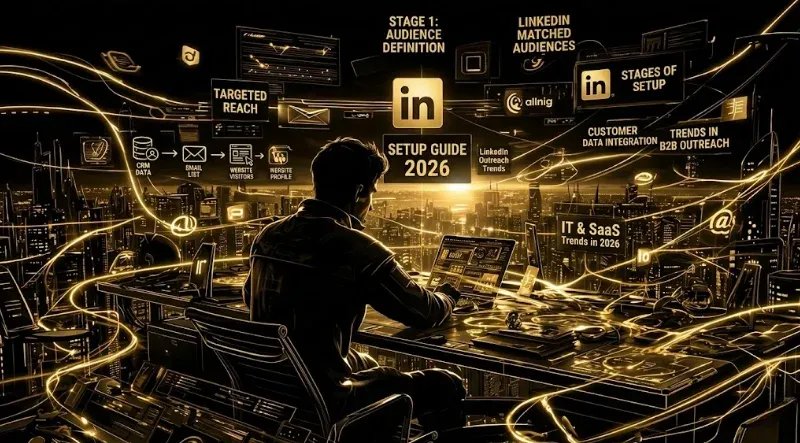
LinkedIn Matched Audiences let you target your own data — company lists, contact lists, website visitors, and engagement audiences — instead of relying only on LinkedIn’s broad demographic filters. Company lists deliver 70-95% match rates and are the foundation for ABM. Contact lists deliver 30-70% match rates depending on email type (business emails match higher). The minimum audience size for any Matched Audience is 300 members. Matched Audiences deliver 2-3x higher conversion rates and 30-50% lower CPL than standard LinkedIn targeting.
Key Takeaways
- LinkedIn offers 4 core Matched Audience types: Company Lists, Contact Lists, Website Retargeting, and Engagement Audiences. Each serves a different ABM use case.
- Company list match rates are 70-95% when uploaded correctly (company name + domain). Contact list match rates are 30-70% (higher with business emails).
- Minimum audience size for any Matched Audience to be usable: 300 members.
- Matched Audiences deliver 2-3x higher conversion rates and 30-50% lower CPL than LinkedIn’s demographic targeting.
- For ABM, always layer Company List + job function + seniority (better than job title targeting alone).
- Refresh Company Lists monthly; refresh Contact Lists quarterly. Stale lists burn 20-30% of budget on accounts no longer in ICP.
The 4 Matched Audience Types
LinkedIn Matched Audiences are custom audiences built from your own data, uploaded to Campaign Manager. They’re the foundation of any serious ABM or retargeting program — without them you’re limited to LinkedIn’s broad demographic filters.
| Audience Type | Source | Typical Match Rate | Best Use Case |
|---|---|---|---|
| Company List | CRM export (company name + domain) | 70-95% | ABM target account targeting |
| Contact List | Email list from CRM | 30-70% | Champions, event attendees, current customers |
| Website Retargeting | LinkedIn Insight Tag visitors | Variable (depends on traffic) | Remarketing to engaged visitors |
| Engagement Audiences | LinkedIn ad engagement | High (LinkedIn first-party data) | Nurture warm prospects, video viewers |
Plus a fifth audience type — Predictive Audiences (which replaced Lookalike Audiences in February 2024) — that uses LinkedIn’s machine learning to expand reach beyond your matched data.
Type 1: Company List Targeting (The ABM Foundation)
Company list targeting is the cornerstone of LinkedIn ABM. You upload a list of target companies, LinkedIn matches them against its 65+ million Company Pages, and creates a targetable audience of employees at those companies.
How to set it up:
- In LinkedIn Campaign Manager, navigate to Account Assets → Matched Audiences.
- Click Create Audience → List Upload → Companies.
- Upload a CSV with two columns: Company Name and Company Domain (or LinkedIn Company URL).
- LinkedIn processes the file within 24-48 hours. The Status column shows “Ready” when match is complete.
- Once matched, layer this audience with LinkedIn demographic filters (job function, seniority, industry) inside a campaign.
Match rate optimization:
- Use the company’s primary domain (not subdomains) for highest match rates
- Include the company name even when uploading domains — LinkedIn cross-references both
- Avoid abbreviations (“Inc.”, “Corp.”, “Ltd.”) in company names; LinkedIn handles these but cleaner names match better
- For multinational companies, list each regional entity separately if you want to target specific country subsidiaries
Expected results:
- Match rates of 70-95% for company lists with both name and domain
- Match rates of 50-70% for company lists with name only
- Minimum audience size needed: 300 members at the target companies
For a 500-account target list, expect 350-475 successfully matched companies. The remaining ~25-30% are companies LinkedIn can’t match (private companies without LinkedIn Pages, name conflicts, or merged/acquired entities).
Type 2: Contact List Targeting (For Champions and Current Customers)
Contact list targeting uploads email addresses and matches them against LinkedIn member profiles. Lower match rates than company lists but higher precision when match succeeds — you’re reaching specific individuals, not anyone at their company.
How to set it up:
- Account Assets → Matched Audiences → Create Audience → List Upload → Contacts.
- Upload a CSV with at least one column: Email Address. Additional helpful columns: First Name, Last Name, Country.
- LinkedIn hashes the email address before matching (no plain-text PII stored).
- Processing takes 24-48 hours; Status shows “Ready” when complete.
Match rate optimization:
- Use business email addresses, not personal. Business emails match at 50-70%; personal emails (Gmail, Yahoo) match at 20-40% because most LinkedIn profiles use business emails as primary.
- Include first name + last name when possible — LinkedIn uses both as secondary matching signals.
- Segment lists by source (current customers, churned, MQLs, SQLs) for targeted messaging.
Best use cases:
- Customer expansion — upload current-customer email list, exclude from acquisition campaigns to avoid wasted spend
- Event nurture — upload attendees from a recent webinar or conference for post-event amplification
- Champion targeting — upload identified buying committee members for late-stage account work
- Win-back campaigns — upload churned customers with tailored re-engagement creative
The match rate ceiling: business vs personal email gap is a structural limit. Even with perfect data, you can expect ~30% of business emails to fail matching because the LinkedIn user is connected via a personal address. Plan audience size accordingly.
Type 3: Website Retargeting (For Warm Prospect Activation)
Website retargeting uses the LinkedIn Insight Tag to track visitors and create audiences of LinkedIn members who visited specific pages. The single highest-converting audience type in most B2B SaaS accounts.
Prerequisites:
- LinkedIn Insight Tag must be installed site-wide (typically via Google Tag Manager)
- Tag must be live for 30+ days to accumulate enough audience data
- Minimum audience size for use: 300 members tracked
How to set it up:
- Confirm Insight Tag is firing on your site (check via Campaign Manager → Account Assets → Insight Tag → Verify Insight Tag).
- Account Assets → Matched Audiences → Create Audience → Website Visitors.
- Configure URL rules to define the audience:
- All visitors: capture anyone visiting any tracked page
- Specific page: target visitors of pricing, demo request, or specific product pages
- Page contains: wildcard match for URL patterns (e.g.,
/blog/,/pricing) - Page does not contain: exclude certain pages from the audience
- Set the lookback window: 30, 60, 90, 180, or 365 days. 90 days is optimal for most B2B SaaS — covers typical buying-cycle research windows without including stale visitors.
- Save and wait 24-48 hours for the audience to populate.
High-leverage segmentation patterns:
| Audience Definition | Lookback | Use Case |
|---|---|---|
| All site visitors | 90 days | Broad retargeting; light awareness |
| Pricing page visitors | 90 days | High-intent BOFU; demo offers |
| Demo request abandoners (visited /demo, didn’t submit) | 30 days | Aggressive retargeting; specific CTAs |
Blog readers (URL contains /blog/) | 180 days | Top-of-funnel nurture; thought leadership |
Product page visitors (URL contains /product/) | 90 days | MOFU; feature comparison content |
The pricing-page audience is the highest-value retargeting audience in most B2B SaaS accounts. Visitors who reached pricing showed direct intent. Even small audiences (300-1,000 members) often outperform broad audiences 10x on cost per SQL.
Type 4: Engagement Audiences (For Nurturing Active Interest)
Engagement Audiences are built from LinkedIn’s own first-party data — people who engaged with your ads, viewed your videos, opened Lead Gen Forms, or visited your Company Page. The highest-quality audiences for re-engagement because they’re already familiar with your brand.
Types of Engagement Audiences:
| Engagement Type | Audience Definition |
|---|---|
| Video Viewers | Watched 25%, 50%, 75%, or 97% of your video ad |
| Lead Gen Form Openers | Opened (but possibly didn’t submit) a Lead Gen Form |
| Lead Gen Form Submitters | Completed a Lead Gen Form submission |
| Ad Engagers | Liked, commented, shared, or clicked your ad |
| Company Page Visitors | Visited your LinkedIn Company Page |
| Event Registrants | Registered for a LinkedIn Event |
The video viewer audience is the most valuable. 97%-completion viewers often produce the same SQL rates as Lead Gen Form submitters at 30-40% lower cost. They’ve invested 60+ seconds of attention; that signal alone qualifies them more than a 5-second form submit.
Setup:
- Account Assets → Matched Audiences → Create Audience → Lead Gen Form Audiences (or Video Viewers, Page Engagers, etc.).
- Select the specific assets to track (which Lead Gen Forms, which videos, which Company Page).
- Set lookback window (30, 60, 90, 180, 365 days).
- Save and audience populates immediately from existing LinkedIn data.
The Layering Strategy (How Top Performers Win)
Matched Audiences alone are the foundation — but layering them with LinkedIn demographic filters is where performance compounds.
For ABM (the canonical layering pattern):
- Base layer: Company List (your target account list)
- Filter layer: Job Function = Marketing OR Sales OR IT
- Refinement layer: Seniority = Director, VP, C-Suite
- Exclusion layer: Exclude Students, Interns, Self-Employed, Job Seekers
- Result: Decision-makers at your target accounts only
Audience size will collapse from “everyone at the 500 companies” (potentially 100,000+ members) to “the buying committee at those companies” (typically 2,000-8,000 members). This is the right outcome — quality over quantity.
For customer expansion:
- Base layer: Contact List (current customer business emails)
- Filter layer: Job Function ≠ original buyer’s function (expand to adjacent buyers within the account)
- Result: Champions and influencers at your installed base, ready for expansion campaigns
For win-back:
- Base layer: Contact List (churned customer emails)
- Refinement layer: Job Title contains [original buyer title]
- Result: Direct re-engagement with original buyers who churned
Common Setup Mistakes
Mistake 1: Using Audience Expansion on Matched Audience campaigns. Audience Expansion is on by default in LinkedIn Campaign Manager. For Matched Audiences (especially ABM), this dilutes precision by including “similar” members outside your account list. Turn it off for any Matched Audience campaign.
Mistake 2: Audiences below 300 members. LinkedIn won’t run campaigns against audiences under 300 members. For tight ABM lists, this often forces you to expand the company list or loosen demographic filters.
Mistake 3: Stale lists. Company lists go stale within 90 days as companies churn, restructure, or shift industries. Contact lists go stale faster as people change jobs. Refresh quarterly minimum; monthly for signal-triggered ABM.
Mistake 4: Not segmenting customers vs prospects. Without exclusion, your prospect campaigns will deliver impressions to current customers, wasting budget on people who’ve already bought. Always create a customer Contact List and exclude it from acquisition campaigns.
Mistake 5: Single retargeting audience for all visitors. Treating “all website visitors” the same as “pricing page visitors” wastes the high-intent signal. Build separate audiences per page type with funnel-stage-appropriate creative.
How OLA Maximizes Matched Audience Performance
OLA doesn’t replace Matched Audiences — LinkedIn’s native Matched Audiences setup is required. What OLA adds is the optimization layer on top:
- Company-level frequency caps ensure your ABM Matched Audience campaigns reach all accounts evenly, not concentrate on the 20% with the most employees
- Super Title exclusions filter the junk titles that slip through demographic layering (students, interns, freelancers)
- HubSpot CAPI integration sends SQL events back to LinkedIn so the algorithm optimizes against your Matched Audience pipeline quality, not just form fills
- Audit dashboard surfaces which Matched Audiences are top-quartile vs bottom-quartile on cost per SQL
Flat $29/month. 15-minute setup. Works for B2B SaaS teams running $5K–$100K/month in LinkedIn spend.
For teams that want senior operators building and refreshing Matched Audiences monthly + running full ABM campaigns, GrowthSpree’s managed service wraps OLA into a $3,000/month flat engagement — month-to-month, HubSpot-native.
FAQs
What are LinkedIn Matched Audiences?
LinkedIn Matched Audiences are custom audiences built from your own data — company lists, contact lists, website visitors, and engagement audiences — instead of LinkedIn’s broad demographic filters. Matched Audiences deliver 2-3x higher conversion rates and 30-50% lower CPL than standard LinkedIn targeting because you’re reaching people who already know your brand or match your exact ICP.
What’s the match rate for LinkedIn Matched Audiences?
Company lists with name + domain match at 70-95%. Contact lists with business emails match at 50-70%; with personal emails at 20-40%. The match rate ceiling for contacts reflects the business vs personal email gap — many LinkedIn members are registered with personal email addresses.
What’s the minimum audience size for LinkedIn Matched Audiences?
LinkedIn requires a minimum of 300 matched members for any audience to be usable in campaigns. Below this threshold, LinkedIn rejects the audience for delivery. For ABM lists smaller than ~500 companies, you may need to expand demographic filters to reach the 300-member floor.
How do I upload a company list to LinkedIn?
- Account Assets → Matched Audiences → Create Audience → List Upload → Companies. 2. Upload a CSV with Company Name and Company Domain columns. 3. LinkedIn matches against its 65+ million Company Pages within 24-48 hours. 4. Layer the company audience with job function and seniority filters inside your campaign for ABM precision.
How often should I refresh Matched Audiences?
Refresh Company Lists monthly (weekly for signal-triggered ABM). Refresh Contact Lists quarterly. Stale lists below 80% relevance burn 20-30% of campaign spend on accounts that have churned, merged, or shifted out of ICP. Website retargeting audiences refresh automatically via the Insight Tag.
Can I use LinkedIn Matched Audiences without the Insight Tag?
Yes for Company Lists and Contact Lists — these don’t require the Insight Tag. Website Retargeting audiences require the Insight Tag installed site-wide. Engagement Audiences are built from LinkedIn’s native first-party data and don’t require the Insight Tag either.
Should I turn off Audience Expansion when using Matched Audiences?
Yes. Audience Expansion is on by default in LinkedIn Campaign Manager. For Matched Audiences — especially ABM Company Lists — Audience Expansion dilutes targeting precision by including members “similar” to your audience. For ABM and high-precision retargeting, always disable Audience Expansion.
What’s the best Matched Audience type for ABM?
Company List is the foundation for ABM — upload your target account list and layer with job function + seniority filters. Contact List supplements with specific champions or buying committee members at late-stage accounts. The strongest ABM campaigns layer Company List + job function + seniority + Super Title exclusions, all running together.
See Your Matched Audience Performance
Connect OLA and see exactly which Matched Audiences are producing pipeline vs which are burning budget. Most teams discover 60-70% of Matched Audience spend goes to under-performing segments that should be paused.
More Featured Blogs
View All Blogs
LinkedIn Ad Character Limits: The Reference for Every Format


LinkedIn Conversions API: What It Is and How to Set It Up
LinkedIn Ads Billing: How You Get Charged and How to Control It