Quick Summary
Summarize this article instantly with your preferred AI model.
LinkedIn Lead Gen Forms: How to Capture Leads That Convert
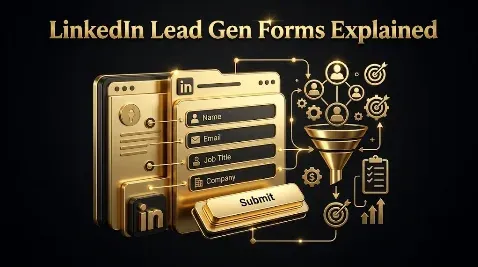
LinkedIn Lead Gen Forms: How to Capture Leads That Convert
LinkedIn Lead Gen Forms are native instant forms that open inside LinkedIn when someone clicks your ad, pre-filled with the details from their profile, so they submit in a tap or two without ever visiting a landing page. That frictionless, pre-filled experience is why they convert far better than a landing page, often two to three times higher, and why cost per lead is usually lower. But the same thing that makes them convert is the thing to watch: a two-tap form fill carries less intent than someone who clicked through to your site and typed their details, and it often arrives with a personal email. So the whole game with Lead Gen Forms is balancing completion against qualification, and judging the result on cost per qualified lead, not raw form-fill volume. This guide covers what they are, how they work, the fields and specs, how to create one, best practices, where the leads go, and how to keep the quality up.
Key takeaways
- Lead Gen Forms are native forms embedded in LinkedIn ads that pre-fill from the member’s profile, so they open in-platform and submit in a tap or two.
- Pre-fill makes them convert roughly two to three times better than a landing page, with cost per lead often in the $50 to $150 range for B2B.
- Completion falls as you add fields: around 25% to 30% at three or four fields, dropping to 10% to 15% at seven or more.
- Every field and question trades completion for qualification, so keep the form short and add one or two qualifying questions, not ten.
- Frictionless forms bring lower intent and personal emails, so enrich the data, sync leads fast, and judge on cost per qualified lead.
What are LinkedIn Lead Gen Forms?
Lead Gen Forms are not a standalone ad; they are a form attached to one. You run a Sponsored Content ad, a single image, carousel, video, or document ad, or a Conversation Ad, and when the member clicks the call to action, a form opens right there inside LinkedIn instead of sending them to your website. The form is already filled in with the information LinkedIn holds on that member, their name, work email, job title, and company, so submitting is almost effortless. That is the entire value proposition: you remove every step between the click and the lead, no page load, no typing, no leaving the app, which is especially powerful on mobile. For B2B, where you are often paying a premium to reach a specific audience, capturing the lead in two taps rather than losing them on a slow landing page is a real advantage, as long as you remember what that effortlessness does to intent.
How do Lead Gen Forms work?
The mechanism is the pre-fill. LinkedIn populates the form from the member’s own profile data, which is generally more current than what other platforms hold, and the member can edit any field before submitting. Because they are not retyping anything, completion rates run far above a website form, commonly two to three times higher. The trade-off hides in that convenience. A landing page makes someone choose to click through, wait, and type, which filters for intent; a pre-filled form that submits in a tap does not, so some of those leads are mildly curious rather than genuinely interested. The pre-filled email is also frequently the member’s personal address rather than a work one, which later complicates routing and account matching in your CRM. None of this is a reason to avoid the format, but it is the reason you build qualification into the form and the follow-up rather than assuming a form fill equals a buyer.
What goes in a Lead Gen Form?
A Lead Gen Form has a handful of parts, and LinkedIn sets limits on each.
| Element | Spec |
|---|---|
| Pre-filled profile fields | 19 available across contact, work, and education; use only 3 to 4 |
| Custom questions | Up to a few of your own, as text or single and multi-select; use 1 to 2 |
| Offer headline | 60 characters maximum, around 40 recommended |
| Offer detail | 160 characters maximum, around 70 recommended |
| Thank-you message and CTA | Up to 300 characters, with a button such as Download or Request Demo |
| Privacy policy URL | Required; the ad will not run without a valid one |
The profile fields are the pre-filled ones, and while 19 are available, piling them on is the fastest way to kill completion. The custom questions are where you add qualification, a budget range, a timeline, a use case, and the offer headline and detail are the value exchange that convinces someone to submit. On compliance, the privacy policy URL is mandatory, the ad will not publish without it, and you can add an optional consent checkbox, which tends to reduce volume by around 5% to 15% but confirms intent and helps with GDPR and CCPA obligations.
How to create a Lead Gen Form
Setup happens in Campaign Manager as part of building a lead generation campaign. Choose the lead generation objective, pick a supported format such as single image or document, and when you reach the form, build it: write a clear offer headline and detail that state what the person gets and what happens next, select the three or four pre-filled fields you actually need, add one or two custom qualifying questions, and set the thank-you message with a call to action that sends them to your content or site. Add your privacy policy URL, and use a hidden field to carry a campaign or source identifier so the lead is attributable later. Preview it on mobile, since most of these forms are completed on a phone, then launch. The build is quick; the thinking is in deciding which fields and questions are worth the completions they will cost you.
The qualification dial: fewer fields, more completions
The single most important thing to understand about Lead Gen Forms is that length and quality pull against each other, and you set the balance deliberately. The data is consistent: the more you ask, the fewer people finish.
| Fields on the form | Typical completion rate |
|---|---|
| 3 to 4 fields | around 25% to 30% |
| 5 to 6 fields | around 18% to 23% |
| 7 or more fields | around 10% to 15% |
Treat those as directional, but the direction is the point. Think of it as a dial: turn it toward fewer fields and you get more, cheaper, but less-qualified leads; turn it toward more fields and qualifying questions and you get fewer, pricier, but better-qualified leads. The mistake is setting the dial by the wrong metric. Do not tune for the highest completion rate or the lowest cost per lead, because the shortest form wins both while delivering the weakest leads. Tune the dial for cost per qualified lead: add a qualifying question when it removes more junk than value, and remove a field when it costs more completions than the data is worth.
Lead Gen Form best practices
A handful of habits separate forms that fill a CRM with pipeline from forms that fill it with noise. Keep the form short and ask only for what sales will actually use, and order the fields easiest to hardest, starting with the pre-filled name and email. Write the offer for the reader, not your agenda, and make the value and the next step explicit, since people submit faster when they know what they get and what happens after. Design for mobile first, because that is where most forms are completed, with a clear, tappable call to action. Carry a campaign or source ID in a hidden field, and add UTMs, so every lead stays attributable. A/B test the things that move results, field count, question wording, and the offer, by running two forms against each other for a week or two with enough leads per variation to trust the result, and watch the form start rate and drop-off, not just completions, to see where people abandon. Then follow up fast, because a lead contacted within minutes converts far better than one chased hours later.
Where do the leads go?
A captured lead is useless until it reaches your sales process, and Lead Gen Forms give you several routes. Leads are stored in Campaign Manager, where you can download them, but only for a limited window, commonly cited as around 90 days, so you should never rely on manual download as your system of record. The better path is a native CRM sync: LinkedIn connects directly to Salesforce, HubSpot, Microsoft Dynamics 365, Marketo, Oracle Eloqua, and Pardot, so leads flow into your CRM automatically, and you can use a tool like Zapier for systems it does not cover natively. Map every form field, including your custom questions, to a CRM field before you launch, or that data lands nowhere. Then sync fast and follow up faster. Monitor the connection too, since a silent sync failure quietly loses leads you paid for, and reconcile your CRM totals against Campaign Manager so you catch any gap early.
The lead-quality catch, and how to handle it
Here is the catch stated plainly: the easier a form is to complete, the less each completion tells you, and Lead Gen Forms are the easiest forms on LinkedIn. Two problems follow, and both are fixable. First, intent: a frictionless two-tap submit attracts people who were mildly curious, so you screen them with one or two qualifying questions on the form and with tight targeting before the ad ever serves, accepting that both reduce volume in exchange for quality. Second, the personal-email problem: because the form pre-fills from the profile, many leads arrive with a gmail or similar address, which breaks domain-based routing, account matching, and scoring in your CRM. The fix is an enrichment step that attaches the work email and company when the lead arrives. Do those two things, qualify on the way in and enrich on the way out, and the format’s one weakness is largely neutralized.
Common Lead Gen Form mistakes
Most Lead Gen Form failures come from optimizing for the wrong number. Stuffing the form with fields to collect data your sales team will never use, and watching completion collapse, is the most common. Chasing the lowest cost per lead, so you ship the shortest, least-qualified form and flood sales with curiosity clicks, is the subtler version of the same error. Skipping qualifying questions entirely, so nothing separates a buyer from a browser, wastes the format’s best lever. Ignoring the personal-email problem, so leads misroute and go cold, loses good prospects. Treating the Campaign Manager download as storage, then losing leads after the retention window, is an avoidable own goal. And following up slowly, so a warm lead cools before anyone calls, throws away the speed advantage that made the format worth running.
High completion, judged on qualified pipeline
Here is the thread. Lead Gen Forms are the highest-completion, lowest-friction way to capture leads on LinkedIn, which is exactly why they are a staple of lead generation on the platform, but that frictionlessness is a double-edged sword. Keep the form short to protect completion, add one or two qualifying questions to protect quality, sync the leads straight into your CRM and enrich the personal emails, and feed closed outcomes back with server-side tracking. Then set the qualification dial by the only number that matters, the cost per qualified lead, not the form-fill rate. High completion is the easy part; qualified pipeline is the point. If you want your LinkedIn lead gen built to capture leads that actually convert, you can book a demo.
Frequently Asked Questions
Q1. What are LinkedIn Lead Gen Forms?
Lead Gen Forms are native forms attached to LinkedIn ads that open inside LinkedIn when someone clicks, pre-filled with their profile details, so they submit without visiting a landing page. They run on Sponsored Content formats like single image, carousel, video, and document ads, and on Conversation Ads. The pre-fill makes them convert far better than a website form, which is their main advantage, and the reduced friction is also why lead quality needs watching.
Q2. How do LinkedIn Lead Gen Forms work?
When a member clicks your ad’s call to action, LinkedIn opens a form already filled with their profile data, name, work email, job title, and company, which they can edit before submitting in a tap or two. Because they are not retyping anything, completion rates run roughly two to three times higher than a landing page. The data is generally current, though the pre-filled email is often a personal address, which you handle later with enrichment.
Q3. How do you create a LinkedIn Lead Gen Form?
In Campaign Manager, build a lead generation campaign, choose a supported format, and create the form: write an offer headline and detail, select three or four pre-filled fields, add one or two custom qualifying questions, set a thank-you message with a CTA, and add your privacy policy URL, which is required. Use a hidden field to carry a campaign or source ID for attribution, preview on mobile, and launch. Map every field to your CRM before going live.
Q4. How many fields should a Lead Gen Form have?
Keep it to three or four fields for strong completion. LinkedIn offers 19 pre-fillable profile fields, but completion falls fast as you add them: around 25% to 30% at three or four fields, 18% to 23% at five or six, and 10% to 15% at seven or more. Add one or two custom qualifying questions on top, not more, since each one trades completions for qualification. Ask only for what sales will actually use.
Q5. What is a good completion rate and cost per lead for Lead Gen Forms?
Completion commonly runs around 10% to 15% overall and higher with a short, three-or-four-field form, while cost per lead is often in the $50 to $150 range for B2B, though it varies widely by industry and the ad format carrying the form. Treat these as directional. More useful than either number is cost per qualified lead, because a short form posts a great completion rate and low cost per lead while delivering the weakest leads.
Q6. Where do leads from LinkedIn Lead Gen Forms go?
Leads are stored in Campaign Manager for a limited window, commonly around 90 days, where you can download them, but you should sync them to your CRM instead of relying on manual download. LinkedIn connects natively to Salesforce, HubSpot, Microsoft Dynamics 365, Marketo, Oracle Eloqua, and Pardot, with Zapier covering the rest. Map every form field to a CRM field before launch, sync in real time, and follow up fast, since speed strongly affects conversion.
Q7. How do you improve lead quality from Lead Gen Forms?
Qualify on the way in and enrich on the way out. On the form, add one or two qualifying questions, on budget, timeline, or use case, and tighten your targeting so the ad reaches the right people, accepting that both reduce volume. After the lead arrives, run an enrichment step to attach the work email and company, since the pre-filled email is often personal and breaks routing. Then score and route leads in your CRM and judge campaigns on cost per qualified lead.
Q8. How do you A/B test and optimize Lead Gen Forms?
Test one variable at a time by running two forms against each other for a week or two, with enough leads per variation, commonly 50 to 100, to trust the result. The highest-leverage things to test are field count, the wording and type of your qualifying questions, and the offer itself. Watch the form start rate and drop-off, not just completions, so you can see where people abandon, and always settle the test on cost per qualified lead rather than completion rate or cost per lead alone.
More Featured Blogs
View All Blogs
LinkedIn Revenue Attribution Report: Tie Ad Spend to Pipeline



LinkedIn Dynamic Ads: Spotlight and Follower Ads Explained

LinkedIn Ads Reporting: How to Read Campaign Manager