Quick Summary
Summarize this article instantly with your preferred AI model.
LinkedIn Ads Optimization Checklist & Routine for B2B SaaS (Daily, Weekly, Monthly)
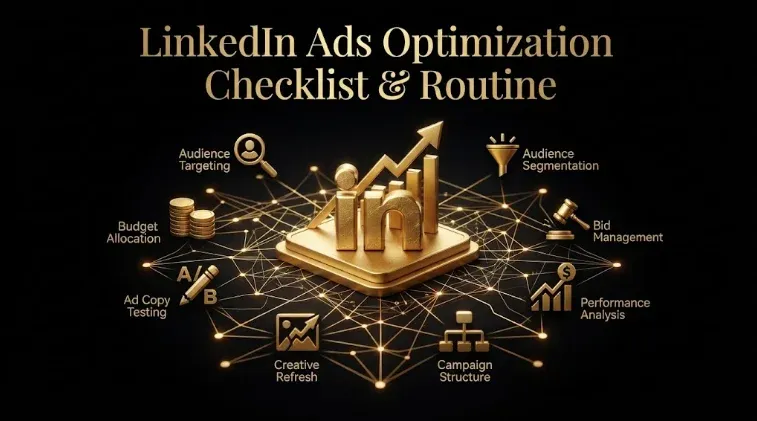
LinkedIn Ads Optimization Checklist & Routine for B2B SaaS (Daily, Weekly, Monthly)
Optimizing a LinkedIn Ads account isn’t a monthly overhaul — it’s a consistent routine: light daily checks, a focused weekly review, and a deeper monthly one, each with a clear threshold for when to act. Most guides list generic best practices; almost none give you the actual operating cadence with the triggers that tell you when to change something, which is where accounts quietly drift — audiences broaden, creative fatigues, and waste piles up between the occasional deep-dive. This is the daily/weekly/monthly optimization checklist, built around the metric that matters (pipeline and cost per SQL, not CTR), with the specific thresholds that turn “watching dashboards” into decisions.
Key takeaways
- Optimization is cadence-based: light daily checks, a core weekly review, a deeper monthly one.
- Act on thresholds, not vibes — e.g., frequency > 3 → refresh creative; CTR < ~0.6% → test new audiences/creative.
- The demographics report is the highest-leverage weekly check — the “who” matters more than the “how many.”
- Don’t over-tweak — change one variable and let it run 7–10 days; the algorithm needs stable learning.
- The whole routine is anchored on cost per SQL and pipeline, not vanity metrics like CTR or CPL.
Why optimization is a routine, not an event
The optimization routine is a repeatable set of checks at three cadences, each matched to what actually changes on that timescale. Fast-moving things (spend pacing, delivery, anomalies) need a quick daily glance; performance and audience quality need a real weekly review; pipeline, cost per SQL, and budget allocation need a deeper monthly look with CRM data. Matching the check to the cadence keeps the account tight without either neglecting it or over-managing it.
Both extremes fail. Check too rarely and the account drifts — waste accumulates and fatigue sets in before you notice results slipping. React to every daily wiggle and you starve the algorithm of the stable learning it needs and chase noise. The routine solves both: frequent-but-light where things move fast, deep-but-periodic where they don’t, always acting on defined thresholds rather than impulse.
The daily checklist (5 minutes)
Daily is a health glance, not an optimization session. Check three things and act only on the triggers:
- Spend pacing — is budget flowing evenly, or has a campaign front-loaded? LinkedIn can spend disproportionately on “high-intent days,” so a campaign that burns its weekly budget by Tuesday is real money lost. Trigger: a campaign pacing to exhaust its budget well before the period ends.
- Delivery — are campaigns delivering, or has one stalled, been rejected, or exhausted its audience? Trigger: delivery drops to near zero.
- Anomalies — any sudden spike or collapse in spend, impressions, or cost that signals something broke. Trigger: a metric moves sharply outside its normal range.
If nothing trips a trigger, you’re done. Daily is about catching breakage fast, not tuning — resist optimizing daily.
The weekly checklist (the core)
Weekly is where real optimization happens. Work through five checks, each with a threshold:
- Performance by campaign — review spend, CTR/engagement, and CPL vs target. Trigger: CTR below ~0.6% (a common B2B floor) suggests weak creative or audience — test new audiences or refresh creative; strong CTR with a good downstream signal → consider scaling budget ~20–25%.
- Audience quality (demographics report) — the highest-leverage weekly check, and the one most people skip. Pull the demographics report to see who your spend actually reached (job function, seniority, company size) — because, in LinkedIn’s own words, the “who” matters more than the “how many.” Trigger: meaningful spend on non-ICP functions, wrong seniorities, or off-size companies → add exclusions now.
- Creative fatigue & frequency — Trigger: frequency climbing past ~3 with softening engagement → refresh the creative angle. Refreshing one or two creatives a week keeps things fresh without churn.
- Retargeting flow — are warm audiences advancing to the next step, or stalling? Trigger: retargeting engagement flat or falling → refresh the offer/creative.
- CRM feedback — look past lead counts to what sales says: are leads good-fit, accepted, becoming SQLs? Trigger: rising lead volume but weak sales acceptance → a lead-quality (targeting/offer) problem, not a volume win.
Then act with intent: shift budget toward the audiences producing stronger downstream quality, cut overlap, tighten exclusions, replace weak hooks, and promote the creative that earns qualified action. The weekly review is the engine — it corrects drift before it compounds.
The monthly checklist (the deep-dive)
Monthly is the CRM-connected review that judges the account on the metric that matters:
- Cost per SQL & pipeline-to-spend — the real verdict, benchmarked against your vertical and ACV (not CPL, not the platform average). Trigger: cost per SQL off your benchmark → diagnose which funnel stage is leaking.
- Budget reallocation — with a month of data, move budget decisively: scale what’s producing qualified pipeline (~25% steps), cut what isn’t. Trigger: a campaign consistently below pipeline benchmark → reduce or pause.
- Testing review — assess the month’s tests (creative, audience, offer), apply winners, plan next month’s. Trigger: a test has reached enough data to call.
- Exclusions & audience refresh — a deeper pass on waste and structure than the weekly demographics check.
- Attribution & measurement — confirm LinkedIn is connected to your CRM and you’re seeing influenced pipeline and closed-won, not just last-click leads (last-click structurally undercredits LinkedIn). Trigger: you can’t see cost per SQL by campaign → fix tracking first.
Monthly is where you make the bigger, evidence-based calls the weekly cadence isn’t suited for — with enough data to act on the pipeline metric confidently.
The optimization checklist at a glance
| Cadence | Check | Threshold to act |
|---|---|---|
| Daily | Spend pacing, delivery, anomalies | Budget front-loading, delivery near zero, sharp metric swing |
| Weekly | Campaign performance | CTR < ~0.6% → test audience/creative; strong + good downstream → scale ~20–25% |
| Weekly | Demographics / audience quality | Non-ICP spend appears → add exclusions |
| Weekly | Creative fatigue | Frequency > 3 + softening engagement → refresh |
| Weekly | CRM feedback | Volume up, sales acceptance weak → lead-quality fix |
| Monthly | Cost per SQL & pipeline | Off benchmark → diagnose the leaking stage |
| Monthly | Budget & attribution | Below pipeline benchmark → cut/pause; no cost-per-SQL visibility → fix tracking |
What to ignore (and not do)
As important as what to check is what to leave alone. Don’t over-tweak: the algorithm needs a stable learning period, so change one variable at a time and let it run 7–10 days before judging — resetting campaigns or making constant changes starves it and chases noise. Don’t react to daily fluctuations: short-term wiggles aren’t signal; that’s what the weekly review is for. Don’t optimize for vanity metrics: a rising CTR or falling CPL isn’t the goal — the routine exists to grow qualified pipeline, so don’t chase a good-looking surface metric at the expense of lead quality. And don’t confuse activity with optimization: more dashboards and more frequent fiddling don’t help — a tighter, cadence-based system does. The best operators run a simpler routine, more consistently, anchored on pipeline.
How to act on what you find
Act biggest-lever-first and on the right metric. When the routine surfaces problems, prioritize by impact on pipeline and wasted spend: audience waste (from the demographics check) is usually the biggest, fastest fix, so tighten targeting and exclusions first; then correct measurement so gains are visible; then creative and conversion. Make each change deliberately, one variable at a time, and re-measure on cost per SQL and pipeline — expecting surface metrics to sometimes move the “wrong” way (CPL rising as you cut cheap junk leads while cost per SQL falls). That inversion is the sign the routine is working. Run this way, the account improves continuously: daily monitoring catches breakage fast, the weekly review corrects drift before it compounds, and the monthly deep-dive makes the bigger pipeline calls — so LinkedIn stays efficient instead of drifting between overhauls.
Frequently Asked Questions
Q1. What should be on a LinkedIn Ads optimization checklist?
Checks at three cadences: daily (spend pacing, delivery, anomalies), weekly (campaign performance, demographics/audience quality, creative fatigue, retargeting flow, CRM feedback), and monthly (cost per SQL and pipeline, budget reallocation, testing review, exclusions, attribution). Each has a threshold that triggers action — like frequency > 3 → refresh creative, or CTR < ~0.6% → test new audiences. The whole checklist is anchored on cost per SQL and pipeline, not CTR or CPL.
Q2. How often should you optimize LinkedIn Ads?
Daily for a quick health glance (pacing, delivery, anomalies), weekly for the core optimization review, and monthly for a deeper CRM-connected deep-dive. Don’t optimize daily — the algorithm needs a stable learning period, so daily is for catching breakage, not tuning. Real optimization happens weekly, and the biggest evidence-based decisions happen monthly with enough data to act confidently on pipeline.
Q3. When should you refresh LinkedIn ad creative?
When frequency climbs past roughly 3 and engagement softens — that’s fatigue, and refreshing the angle before performance slips prevents waste on ads people have stopped responding to. Refreshing one or two creatives a week as part of the weekly review keeps things fresh without disruptive churn. Fatigue is a slow, invisible waste, so catching it on the weekly cadence via the frequency trigger is the fix.
Q4. What CTR should trigger a change on LinkedIn Ads?
A CTR below roughly 0.6% (a common B2B floor) is a signal to test new audiences or refresh creative, since it usually means the creative or targeting isn’t resonating. Conversely, a strong CTR paired with a good downstream signal (leads becoming SQLs) is a cue to scale budget ~20–25%. Treat CTR as a diagnostic trigger, not the goal — the account is ultimately judged on cost per SQL and pipeline.
Q5. What’s the most important weekly check?
The demographics report — it shows who your spend actually reached (job function, seniority, company size), which is where audience waste hides and where you add exclusions. As LinkedIn’s own guidance stresses, the “who” matters more than the “how many,” so confirming your budget reaches ICP-fit people, not just generating impressions, is the highest-leverage weekly check. Most self-managed accounts skip it, which is why they leak budget.
Q6. How do you avoid over-optimizing LinkedIn Ads?
Change one variable at a time and let it run 7–10 days before judging, don’t reset campaigns often (the algorithm needs learning time), and don’t react to daily fluctuations (that’s the weekly review’s job). Over-tweaking starves the algorithm and chases noise, hurting performance. The best operators run a simpler routine more consistently, making deliberate, threshold-based changes rather than constant impulsive ones.
Q7. What metrics should the optimization routine focus on?
The anchor is cost per SQL and pipeline-to-spend, benchmarked against your vertical and ACV — not CTR or CPL. Daily watches pacing and anomalies; weekly watches campaign performance, audience quality, and CRM feedback; monthly judges cost per SQL and pipeline. Treat CTR and CPL as diagnostic triggers, not the objective — the routine exists to grow qualified pipeline, so it’s judged on pipeline.
Q8. When should you scale or cut a LinkedIn campaign?
Scale (roughly 20–25% budget steps) when a campaign shows strong performance and a good downstream signal — leads becoming SQLs and pipeline, not just clicks. Cut or pause when a campaign consistently falls below your pipeline benchmark over a month of data. Scale and cut on the monthly cadence with enough data to be confident, judging on cost per SQL and pipeline rather than reacting to short-term CPL or CTR swings.
More Featured Blogs
View All Blogs
LinkedIn Matched Audiences: Target Your Own Data, Not Just Attributes



LinkedIn Thought Leader Ads: What They Are and How to Use Them
LinkedIn Ads CTR Benchmarks: What Is a Good Click-Through Rate?