Quick Summary
Summarize this article instantly with your preferred AI model.
Why Are My LinkedIn Ads Not Delivering?
Why Are My LinkedIn Ads Not Delivering?
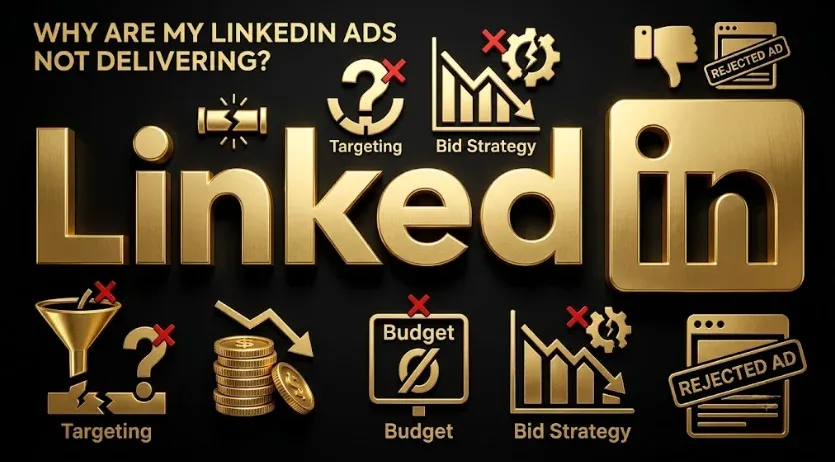
When a LinkedIn campaign isn’t delivering or spending, the cause is almost always mechanical, not mysterious — and it’s usually one of a short list: your bid is too low to win auctions, your audience is too small, your budget is too low, the campaign is still in review, your creative was rejected, or the campaign isn’t actually active. Each has a clear fix. This guide walks through the common causes in the order worth checking them, so you can diagnose a stalled campaign in minutes instead of guessing. Work top to bottom; the fastest wins are usually near the top.
Key takeaways
- Non-delivery is mechanical — bid, audience size, budget, review status, creative, or campaign state.
- Check campaign status and review first — a paused, scheduled, or in-review campaign simply won’t run yet.
- A bid set too low is the single most common reason a live campaign under-delivers.
- An audience below the minimum (or far too small) can’t deliver at meaningful volume.
- Rejected creative or an exhausted, frequency-capped audience also halt delivery — both are fixable.
First, is the campaign actually running?
Before diagnosing anything complex, confirm the campaign is in a state that can deliver. A surprising share of “not delivering” cases are campaigns that are paused, scheduled to start in the future, or sitting in review. New campaigns and new creative go through an ad review process before they serve, so a just-launched campaign showing zero delivery may simply not have cleared review yet. Check the campaign and ad status, confirm the start date isn’t in the future, and make sure the campaign group and account are active and funded. If the status says anything other than active-and-delivering, that’s your answer.
Is your bid too low?
This is the most common reason a live, approved campaign barely spends. LinkedIn runs an auction, and if your bid is below what it takes to win impressions for your audience, you’ll lose those auctions and under-deliver — the campaign is technically live but rarely wins the right to show. If you’ve set a manual bid, raise it toward or above LinkedIn’s suggested range and watch delivery respond. If you’re bidding at the floor to keep costs down, accept that delivery may be limited and raise the bid until the campaign paces.
Is your audience too small?
LinkedIn requires a minimum audience size, and an audience at or near that floor can’t deliver meaningfully. Over-narrow targeting — too many stacked filters, a tiny company list, an aggressive set of exclusions — shrinks your reachable audience below what’s viable. Check the estimated audience size in Campaign Manager; if it’s very small, loosen filters, broaden the company list, or relax exclusions until the audience is large enough to deliver against your budget.
The delivery diagnostic
Work through these in order and stop at the first one that applies:
| # | Check | Symptom | Fix |
|---|---|---|---|
| 1 | Campaign state | Paused, scheduled, or in review | Activate; wait for review; fix start date |
| 2 | Bid | Live but barely spending | Raise the bid toward LinkedIn’s range |
| 3 | Audience size | Tiny estimated audience | Loosen filters, broaden list, relax exclusions |
| 4 | Budget | Spend capped early or too low to serve | Increase daily or lifetime budget |
| 5 | Creative status | Ad rejected | Fix the policy issue and resubmit |
| 6 | Audience fatigue | Delivery decays over time | Refresh creative; expand the audience |
Could it be budget, creative, or fatigue?
Yes — the remaining causes cluster here. A budget set too low relative to your bid and audience can throttle delivery, so if everything else looks right, raise it. Rejected creative stops an ad cold; LinkedIn reviews ads and will decline ones that breach policy, so check whether your ad was rejected and fix the flagged issue. And an exhausted or frequency-capped audience — common with small, tightly targeted audiences you’ve been running for a while — will show delivery decaying as LinkedIn limits how often the same members see your ad. Refreshing creative and expanding the audience revives it. None of these are dead ends; each points to a specific lever.
Frequently Asked Questions
Q1. Why are my LinkedIn Ads not delivering?
Almost always a mechanical cause: the campaign is paused, scheduled, or still in review; your bid is too low to win auctions; your audience is below the viable minimum; your budget is too low; your creative was rejected; or the audience is exhausted. Check those in order, starting with campaign status and bid.
Q2. Why are my LinkedIn Ads not spending the budget?
Usually the bid is too low to win impressions, so the campaign rarely serves and can’t spend, or the audience is too small to deliver against the budget. Raise the bid toward LinkedIn’s suggested range and check the estimated audience size. A campaign still in review also won’t spend until it clears.
Q3. How long does LinkedIn ad review take?
New campaigns and creative go through an ad review process before they serve, so a just-launched campaign showing no delivery may simply not have cleared review yet. If a campaign has shown zero delivery since launch, confirm whether it’s still in review before troubleshooting anything else, since nothing serves until it’s approved.
Q4. Does a low bid stop LinkedIn Ads from delivering?
It’s the most common reason a live, approved campaign under-delivers. LinkedIn is an auction, so a bid below what it takes to win impressions for your audience loses those auctions and limits delivery. Raise your manual bid toward or above the suggested range and watch delivery respond; floor bidding trades volume for low cost.
Q5. Can too small an audience stop delivery?
Yes. LinkedIn has a minimum audience size, and an audience at or near that floor can’t deliver at meaningful volume. Over-narrow targeting, a tiny company list, or heavy exclusions shrink your reachable audience below what’s viable. Check the estimated size and loosen filters or relax exclusions until it’s large enough.
Q6. Why did my LinkedIn ad get rejected?
LinkedIn reviews every ad against its advertising policies and rejects ones that breach them — common issues include prohibited claims, formatting problems, or restricted content. A rejected ad won’t deliver. Check the ad’s status for the rejection reason, fix the flagged issue, and resubmit for review so it can start serving.
Q7. Why is my LinkedIn ad delivery decreasing over time?
Often audience fatigue. With a small, tightly targeted audience you’ve run for a while, LinkedIn limits how often the same members see your ad, so delivery decays as the audience is saturated. Refresh your creative and expand the audience to give the campaign new people to reach and restore delivery.
Q8. In what order should I troubleshoot LinkedIn ad delivery?
Work top-down: confirm the campaign is active and not in review, then check the bid, then audience size, then budget, then whether creative was rejected, then audience fatigue. Stop at the first cause that applies. The fastest wins are usually near the top — campaign state and bid — so start there.
More Featured Blogs
View All Blogs
LinkedIn Ads CPC: Average Cost Per Click and How to Lower It



LinkedIn Thought Leader Ads: How They Work and When to Use Them