Quick Summary
Summarize this article instantly with your preferred AI model.
LinkedIn Ads Dayparting: Why 20-30% of B2B Budget Wastes on Dead Hours (2026)

LinkedIn Campaign Manager has no native ad scheduling or dayparting as of 2026 — campaigns run 24 hours a day, 7 days a week, including 3 AM Tuesdays and Saturday nights, wasting 20-30% of B2B SaaS ad budget on dead hours when target audiences aren’t on the platform. A 90-day B2B SaaS analysis showed Wednesday averaged 14,061 impressions per day while Sunday averaged 8,663 — a 38% gap. Yet daily budget spent on Sunday was nearly identical to Wednesday because LinkedIn distributes spend evenly across all 168 hours of the week. For a $15K/month account, combined weekend + off-hours waste is approximately $5,271/month (35% of budget). The fix requires either manual campaign toggling (unsustainable) or third-party scheduling tools (Zipeline, Linklo, DemandSense) that wrap LinkedIn’s API to enforce dayparting. Properly implemented dayparting delivers 15-25% conversion rate improvement by concentrating budget on weekday business hours.
Key Takeaways
- LinkedIn has NO native ad scheduling — campaigns run 24/7 by default.
- 20-30% of B2B SaaS budget wastes on weekends and off-hours when ICPs aren’t on platform.
- 90-day data: 38% gap between Wednesday (peak) and Sunday (trough) impressions.
- $15K/month account wastes ~$5,271/month on dead hours.
- LinkedIn distributes budget evenly across 168 hours of week, regardless of conversion patterns.
- Tuesday-Thursday consistently delivers best B2B performance.
- 3rd-party tools required: Zipeline, Linklo, DemandSense, or API-based automation.
- Properly implemented dayparting: 15-25% conversion rate improvement.
The LinkedIn Scheduling Problem
Unlike Google Ads (which has had ad scheduling for over a decade), LinkedIn Campaign Manager offers no native dayparting feature as of 2026.
What you CAN do in LinkedIn Campaign Manager:
- Set a campaign start date
- Set a campaign end date
What you CANNOT do:
- Schedule campaigns to run only on specific days of the week
- Set hour-of-day delivery windows
- Pause delivery during weekends
- Concentrate budget on peak engagement hours
- Adjust bids by time of day
- Run different creative at different times
The result: Your campaigns serve ads 24 hours a day, 7 days a week. Saturday 3 AM. Sunday 11 PM. Tuesday 4 AM. Every hour of the week receives equal share of your budget.
For a platform where B2B SaaS CPCs run $8-15, that’s thousands of dollars per month on impressions served while your ICP is asleep.
The 20-30% Budget Waste Reality
The math of LinkedIn’s no-scheduling reality:
Hours of the week breakdown:
| Time Window | Hours/Week | % of Week | B2B Activity Level |
|---|---|---|---|
| Weekday business hours (Mon-Thu 9 AM - 6 PM) | 36 | 21% | Peak |
| Weekday morning (Mon-Thu 7-9 AM) | 8 | 5% | High |
| Weekday evening (Mon-Thu 6-8 PM) | 8 | 5% | Moderate |
| Friday business hours (Fri 9 AM - 4 PM) | 7 | 4% | Moderate |
| Weekday night (Mon-Fri 8 PM - 7 AM) | 55 | 33% | Very Low |
| Weekend full (Sat-Sun all day) | 48 | 29% | Very Low |
| Friday late (Fri 4 PM+) - Sunday late | 50+ | 30%+ | Very Low |
The pattern: Roughly 30% of hours are peak B2B engagement (weekday business hours). The other 70% are low/zero engagement.
LinkedIn’s distribution: Budget spreads evenly across all 168 hours, regardless of conversion patterns.
The waste: Hours when your ICP isn’t on the platform still receive ~30% of your daily budget. Combined weekend + late nights + holidays = 20-30% of total budget waste.
The 90-Day Day-of-Week Data
GrowthSpree analyzed 90 days of B2B SaaS campaign data. The pattern:
| Day | Avg Daily Impressions | Avg Daily Conversions | Gap vs Peak |
|---|---|---|---|
| Monday | 12,840 | 38 | -9% |
| Tuesday | 13,927 | 47 | -1% |
| Wednesday | 14,061 (peak) | 51 (peak) | — |
| Thursday | 13,512 | 44 | -4% |
| Friday | 11,234 | 28 | -20% |
| Saturday | 9,108 | 7 | -35% |
| Sunday | 8,663 | 6 | -38% |
The implications:
- Tuesday-Thursday: Peak performance. 3 days carry the week.
- Friday: Moderate decline. 20% lower impressions, 45% lower conversions.
- Weekend: Collapse. Impressions 35-38% lower; conversions 85-88% lower.
The dramatic insight: Weekend conversions drop 8x compared to weekdays while CPCs remain similar. This is the inefficiency dayparting must address.
How Much Money Are You Wasting?
Practical math for B2B SaaS budgets:
| Monthly LinkedIn Budget | Weekend Waste (estimate) | Off-Hours Waste (estimate) | Total Waste |
|---|---|---|---|
| $5K | $1,000 | $750 | $1,750 (35%) |
| $10K | $2,000 | $1,500 | $3,500 (35%) |
| $15K | $3,000 | $2,250 | $5,250 (35%) |
| $30K | $6,000 | $4,500 | $10,500 (35%) |
| $50K | $10,000 | $7,500 | $17,500 (35%) |
| $100K | $20,000 | $15,000 | $35,000 (35%) |
The 35% combined waste figure is at the higher end of the 20-30% range — typical for B2B SaaS direct-response campaigns where weekend conversion drops 8x.
The opportunity: Properly implemented dayparting recovers 20-30% of budget that currently produces minimal pipeline.
The B2B Engagement Pattern
LinkedIn engagement follows predictable B2B patterns:
Peak engagement hours (Monday-Thursday):
| Hour Window | Engagement Level | Why |
|---|---|---|
| 7-9 AM | High | Morning coffee + email check + LinkedIn scan |
| 9-11 AM | Very High | Active engagement; strategic planning hours |
| 11 AM - 12 PM | Moderate | Pre-lunch wind down |
| 12-1 PM | Moderate | Lunchtime scroll |
| 1-3 PM | High | Afternoon focused work + LinkedIn checking |
| 3-5 PM | High | Active engagement; meeting prep |
| 5-6 PM | Moderate | End of day wind down |
| 6 PM+ | Low | Personal time |
Low engagement hours:
- Weekday early morning (5-7 AM): commuting, getting ready
- Weekday lunch midpoint (1-1:30 PM lunch break): minimal LinkedIn time
- Weekday evening (after 6 PM): personal/family time
- Late night (after 10 PM): minimal B2B activity
- All weekend: dramatically lower B2B engagement
Time zone considerations: For US-targeted campaigns, your “peak hours” depend on your audience distribution. If targeting all US, “business hours” span 9 AM ET to 5 PM PT — an 11-hour window.
Why LinkedIn Doesn’t Offer Dayparting
LinkedIn has been asked about native dayparting for years. The platform’s silence on adding this feature has several theories:
1. Algorithm-led delivery preference.
LinkedIn’s optimization algorithm wants to determine the “best” time to serve ads based on user activity patterns. Dayparting fights this algorithm.
2. Revenue protection.
24/7 delivery generates more impressions and clicks (and more revenue) than restricted delivery. LinkedIn benefits financially from continuous delivery.
3. Inventory smoothing.
Even delivery across hours simplifies LinkedIn’s auction mechanics. Concentrating bids in 6-hour windows would create extreme auction pressure.
4. Platform engagement vs ads optimization mismatch.
LinkedIn engagement happens 24/7 globally — but B2B conversion happens during business hours. The platform optimizes for engagement, not conversion timing.
The bottom line: LinkedIn is unlikely to add native dayparting. Marketers must work around the limitation.
Workaround Options
Three approaches to implement dayparting on LinkedIn:
Option 1: Manual Campaign Toggling
How: Log in to LinkedIn Campaign Manager. Pause campaigns Friday evening. Resume Monday morning. Repeat weekly.
Pros:
- Free
- No third-party tools needed
- Full control
Cons:
- Unsustainable at scale
- Requires consistent attention
- Forgetting one weekend wastes thousands
- No hour-of-day control (only day-of-week)
Reality: One marketer documented manually toggling for 3 months — CPL improved from £85 to £10. They described the process as “unsustainable.”
When to use: Only for small accounts under $3K/month spend where investment in tools isn’t justified.
Option 2: Third-Party Scheduling Tools
Available tools:
| Tool | Approach | Pricing |
|---|---|---|
| Zipeline | LinkedIn API integration; full day-of-week + hour-of-day control | Custom pricing (talk to sales) |
| Linklo | API-based scheduling | $99-$299/month |
| DemandSense | Scheduling + analytics | Custom pricing |
| OLA (Optimize LinkedIn Ads) | Built-in scheduling + optimization layer | $29/month flat |
Pros:
- Automated, no manual intervention required
- Full day-of-week AND hour-of-day control
- Often includes analytics on dayparting impact
- Sustainable long-term
Cons:
- Monthly cost (typically $29-$299/month)
- Tool selection requires research
- Some tools require setup time
ROI math: For $15K/month account losing 35% to dead hours = $5,250/month waste. A $99/month scheduling tool recovering even 60% of that = $3,150/month net benefit. Pays back in week 1.
Option 3: API-Based Custom Automation
How: Build custom automation using LinkedIn Marketing API to programmatically pause/resume campaigns based on schedule.
Pros:
- Maximum flexibility
- No subscription fees (after build)
- Custom logic possible
Cons:
- Requires engineering resources to build
- Maintenance overhead
- API rate limits + change risk
When to use: Large accounts ($50K+/month) with internal engineering resources where custom logic provides specific advantage.
Recommended Dayparting Schedule for B2B SaaS
Based on the 90-day data, the recommended starting schedule:
Monday: 7 AM - 6 PM (in primary target time zone)
Tuesday: 7 AM - 6 PM (peak day)
Wednesday: 7 AM - 6 PM (peak day)
Thursday: 7 AM - 6 PM (peak day)
Friday: 7 AM - 3 PM (cut early)
Saturday: PAUSE
Sunday: PAUSE
Time zone considerations:
| Audience | Primary Time Zone Block |
|---|---|
| US (Eastern + Central) | 7 AM ET - 6 PM ET |
| US (West Coast bias) | 9 AM ET - 8 PM ET (=6 AM-5 PM PT) |
| US (Coast-to-coast) | 7 AM ET - 8 PM ET (covers 5 AM-5 PM PT to 7 AM-8 PM ET) |
| Global (US + EU) | 1 AM ET - 6 PM ET (covers EU 7 AM - US 6 PM) |
| APAC-primary | 6 PM ET - 6 AM ET (=9 AM-9 PM Singapore) |
Adjustments based on data:
- After 60 days of dayparting, analyze your specific account data
- Identify YOUR peak hours (may differ from benchmarks)
- Refine schedule based on actual conversion patterns
- Test extending hours that consistently outperform
- Test cutting hours that consistently underperform
ABM-Specific Dayparting Strategy
For ABM campaigns, dayparting strategy differs slightly:
ABM dayparting considerations:
| Factor | Implication |
|---|---|
| Target account time zones | Match schedule to specific account locations |
| Sales coordination | Run ads when SDRs are actively prospecting (sync) |
| Limited audience scale | Tighter windows acceptable; no need to maximize impressions |
| Email-LinkedIn coordination | Run ads after SDR email sends for compound effect |
ABM dayparting pattern:
- Monday-Tuesday: Awareness creative (warm up accounts)
- Wednesday-Thursday: Conversion creative (support active SDR outreach)
- Friday: Light retargeting
- Weekend: Pause
This compounds LinkedIn + outbound for high-target-account engagement.
For detailed ABM dayparting, see LinkedIn ABM Dayparting Strategies.
Measuring Dayparting Impact
Before vs after implementation:
Baseline metrics to track (before dayparting):
- Total weekly spend
- Total weekly impressions
- Total weekly conversions
- CPL by day of week
- Conversion rate by day of week
Post-implementation metrics (after 4-6 weeks):
- Total weekly spend (should be same or lower if budget capped)
- Total weekly impressions (lower; concentrated on peak)
- Total weekly conversions (similar or higher despite fewer impressions)
- CPL by day of week (concentrated on better days)
- Conversion rate (15-25% improvement typical)
Key indicator of success: Conversion rate improvement should be visible within 30-45 days. If conversion rate doesn’t improve, dayparting schedule may need refinement.
Common Dayparting Mistakes
Mistake 1: Implementing without measuring first. Don’t apply generic dayparting before measuring your specific account. Pull 90 days of day-of-week + hour-of-day data first; build schedule from your data.
Mistake 2: Pausing weekends without enabling them again. Some marketers pause weekends, forget to re-enable Monday morning. Lost full week of delivery. Use scheduling tools that auto-resume.
Mistake 3: Same schedule for all campaigns. Different campaign objectives may have different optimal times. Awareness campaigns can run broader hours; conversion campaigns should concentrate on peak.
Mistake 4: Ignoring holiday adjustments. Federal holidays (US: Memorial Day, July 4, Labor Day, Thanksgiving, Christmas-New Year) require additional pausing. Without holiday adjustments, dayparting still wastes budget on holiday weekends.
Mistake 5: Over-restricting hours. Cutting to 9-12 AM only (3-hour window) reduces audience reach too much. Start with broader windows (7 AM - 6 PM), tighten based on data.
Mistake 6: Ignoring time zone of audience. Running 9 AM-5 PM EST when 60% of audience is West Coast = missing afternoon engagement on the coast. Match schedule to audience distribution.
Mistake 7: Not retesting periodically. Audience behavior shifts over time (post-pandemic remote work changed patterns). Re-analyze every 6 months.
Mistake 8: Manual toggling at scale. Above $5K/month spend, manual approach fails. Either invest in scheduling tools or build automation.
How OLA Supports Dayparting
OLA’s optimization layer includes scheduling:
- Built-in dayparting controls — day-of-week + hour-of-day scheduling
- Time zone management — automatic adjustment for audience distribution
- Holiday calendar integration — auto-pause for major holidays
- Performance comparison — measures before vs after dayparting impact
- Schedule recommendations — surfaces optimal hours from your account data
Flat $29/month per Ad Account. 15-minute setup. Works for B2B SaaS teams implementing dayparting.
For teams that want senior operators designing + maintaining sophisticated dayparting strategies across multiple campaigns + time zones, GrowthSpree’s managed service wraps OLA into a $3,000/month flat engagement — month-to-month, HubSpot-native.
FAQs
Does LinkedIn Campaign Manager have native ad scheduling?
No — as of 2026, LinkedIn Campaign Manager has no native ad scheduling or dayparting feature. You can only set a campaign start date and end date. There is no option to control which days of the week or hours of the day your ads run. Workarounds: manual campaign toggling (unsustainable at scale), third-party scheduling tools (Zipeline, Linklo, DemandSense, OLA), or custom API-based automation. LinkedIn is unlikely to add native dayparting due to algorithm preferences and platform economics.
How much budget waste does no LinkedIn dayparting cause?
20-30% of B2B SaaS LinkedIn budget wastes on dead hours (weekends + off-hours). A 90-day analysis showed Wednesday averaging 14,061 impressions/day vs Sunday at 8,663 — a 38% gap. Yet daily budget spent was nearly identical because LinkedIn distributes evenly across 168 hours per week. For a $15K/month account: ~$5,250/month wasted (35% of budget). Weekend conversions drop 8x compared to weekdays while CPCs remain similar — explaining the waste pattern.
Should I pause LinkedIn ads on weekends?
Yes for most B2B direct-response campaigns. 90-day data: Saturday-Sunday impressions drop 35-38% vs Wednesday peak; weekend conversions drop 85-88%. CPCs stay similar, so weekends produce dramatically worse cost per conversion. Exception: brand awareness or TOFU-only campaigns where reach matters more than conversion. Most B2B SaaS should pause weekends entirely. Implement via third-party scheduling tools (Zipeline, Linklo, OLA) — manual pausing is unsustainable.
What days perform best for LinkedIn B2B ads?
Tuesday-Thursday consistently delivers best B2B performance. Specific data: Wednesday peak at 14,061 impressions/day + 51 conversions/day; Tuesday and Thursday closely follow. Monday is 9% lower than peak; Friday 20% lower; weekend dramatically lower. Optimal B2B schedule: Monday 7 AM - 6 PM, Tuesday-Thursday full day (peak), Friday 7 AM - 3 PM (cut early), Saturday + Sunday paused. Time zone considerations: adjust hours based on audience distribution.
How do I implement LinkedIn ad scheduling?
3 options: (1) Manual toggling — pause campaigns Friday evening, resume Monday morning; sustainable only for small accounts under $3K/month, (2) Third-party scheduling tools — Zipeline (custom), Linklo ($99-299/month), DemandSense (custom), OLA ($29/month) wrap LinkedIn API for automated control; recommended for most accounts, (3) Custom API-based automation — build internal automation using LinkedIn Marketing API; only for $50K+/month accounts with engineering resources.
How much does proper LinkedIn dayparting improve conversions?
Properly implemented dayparting delivers 15-25% conversion rate improvement on average. Mechanism: budget concentrates on peak engagement hours when ICPs are active, reducing wasted impressions during dead hours. Compound effect: improved relevance scores from higher engagement → lower CPCs → more impressions in peak windows → higher conversion rates. Documented examples: one marketer reduced CPL from £85 to £10 (88% reduction) through manual dayparting over 3 months; though this is at the high end of improvement.
What LinkedIn dayparting schedule should I start with?
Recommended starting schedule for B2B SaaS (in primary target time zone): Monday 7 AM - 6 PM, Tuesday-Wednesday-Thursday 7 AM - 6 PM (peak days, full delivery), Friday 7 AM - 3 PM (cut early), Saturday + Sunday paused entirely. Refine after 60 days based on your specific account data — peak hours may differ from benchmarks. Time zone considerations: US East+Central → 7 AM ET-6 PM ET; West Coast bias → 9 AM ET-8 PM ET; Coast-to-coast → 7 AM ET-8 PM ET; APAC → 6 PM ET-6 AM ET (=9 AM-9 PM Singapore).
Should I daypart LinkedIn ABM campaigns?
Yes — ABM dayparting can compound LinkedIn with sales outreach. Pattern: Monday-Tuesday awareness creative (warm up accounts), Wednesday-Thursday conversion creative (support active SDR outreach + email sends), Friday light retargeting, weekend pause. Match schedule to target account time zones (US accounts ≠ EU accounts ≠ APAC accounts). Run ads after SDR email sends for compound effect. Tight ABM audiences benefit from concentrated delivery — wide hours waste limited budget on smaller audiences.
Implement Dayparting in Your LinkedIn Account
Connect OLA. The dashboard surfaces day-of-week + hour-of-day performance, recommends optimal scheduling for your specific account, and enforces the schedule automatically. Most B2B SaaS recover 20-30% of budget within 60 days of implementing proper dayparting — the highest-leverage optimization most teams haven’t done.
More Featured Blogs
View All Blogs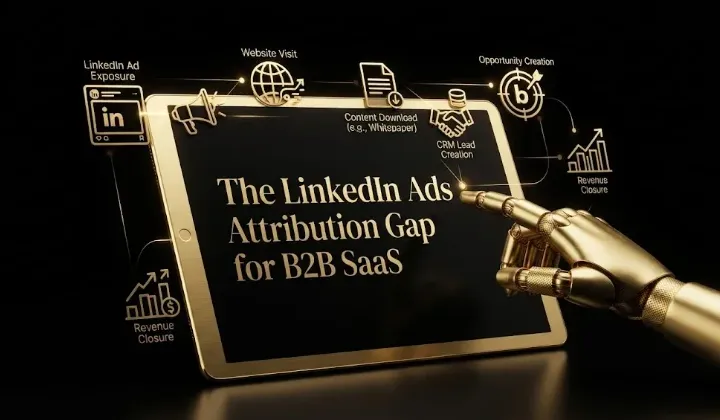
The LinkedIn Ads Attribution Gap for B2B SaaS


How Much LinkedIn Budget Reaches Non-Buyers (Job-Title Bundling)

B2B SaaS Community-Led Growth