Quick Summary
Summarize this article instantly with your preferred AI model.
LinkedIn Ads Audience Overlap and Self-Competition
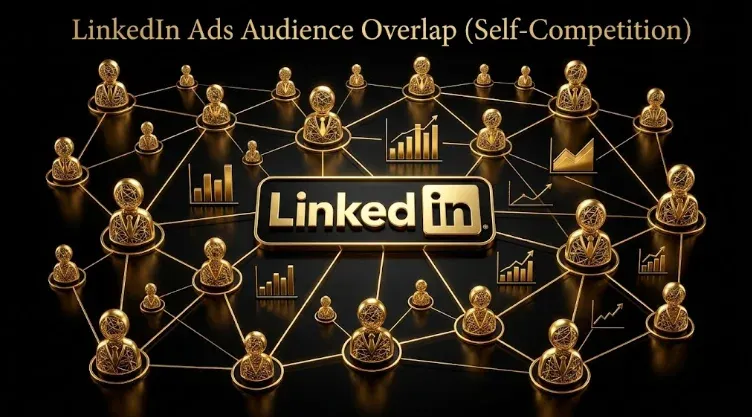
LinkedIn Ads Audience Overlap and Self-Competition
When two or more of your LinkedIn campaigns target overlapping audiences, they compete against each other in the auction, driving up your own CPMs and distorting your data. LinkedIn’s pricing is an auction, and one of its inputs is your audience overlap with other active campaigns, so overlap is not a harmless duplication, it is you bidding against yourself for the same people. Within a single account LinkedIn will not run two of your campaigns against the same person at once (it picks one via a pre-auction relevance check), but that resolution fragments your spend and learning, and the bigger, costlier problem is prospecting campaigns overlapping your retargeting, customers, and recent converters. This guide covers how overlap wastes budget, how to detect it, and how to fix it.
Key takeaways
- LinkedIn’s auction factors in your audience overlap with other active campaigns, so overlap inflates your own CPMs.
- Within one account, LinkedIn picks one campaign per impression via relevance, which fragments spend and learning.
- The costliest overlap is prospecting not excluding retargeting, customers, and converters, which distorts both.
- Overlap hurts B2B more, because tight audience pools mean small overlaps become a large share of the audience.
- Detect it by auditing audience source logic and watching for CPM and delivery signatures; fix it with exclusions and consolidation.
How overlap wastes budget
Every LinkedIn impression is auctioned, and what you pay is shaped by your bid, your relevance, and your audience overlap with other active campaigns. So when your campaigns target overlapping audiences, they push up each other’s CPM and CPC by competing for the same impression slots. You are, in effect, an advertiser bidding against yourself, which is the one bidding war you can never win: whichever campaign takes the impression, you paid a price inflated by your own competing campaign.
Within a single account, LinkedIn does not actually show two of your campaigns to the same person simultaneously. When audiences overlap, it makes a choice in a pre-auction phase, using the relevance score to pick which of your campaigns enters the auction for that person. That sounds harmless, but it is not free: your budget and your learning get split across campaigns that are quietly cannibalizing each other, so each campaign gathers less clean data, optimization is slower, and reporting becomes harder to interpret because you cannot cleanly tell which campaign drove what. Fragmented learning is a real cost even when LinkedIn resolves the overlap for you.
The most common (and costliest) overlaps
The overlaps that waste the most budget are usually not two prospecting campaigns, they are prospecting overlapping warm and closed audiences:
| Overlap type | What happens | The fix |
|---|---|---|
| Prospecting not excluding retargeting | Cold and warm campaigns compete for the same people, distorting both | Exclude retargeting audiences from prospecting |
| Prospecting not excluding customers or converters | You pay premium CPMs to reach people who already bought or converted | Exclude customer lists and recent converters |
| Many similar prospecting audiences | Title, function, and skills audiences contain the same people and compete | Consolidate into fewer, distinct audiences |
| ABM list overlapping broad prospecting | A named-account campaign and a broad campaign fight for the same accounts | Exclude the ABM list from broad prospecting |
All of these trace to the same root: audiences built without clear source logic, so the same people end up in multiple campaigns.
Why overlap hurts B2B more
Overlap is worse on LinkedIn for B2B than for broad consumer advertising, because B2B advertisers work with limited audience pools. When your total addressable audience is tens of thousands of people rather than millions, even a modest overlap between two campaigns represents a large share of the audience, so the self-competition is proportionally more damaging. The tighter and more valuable your targeting, the more it hurts to have campaigns fighting over the same small pool, and the faster overlap drives up the CPMs on exactly the people you most want to reach. This is why disciplined audience structure matters more in B2B than the “just launch more campaigns” instinct suggests.
How to detect overlap
Overlap is often invisible on surface metrics, so look for it deliberately in two ways. First, audit your audience source logic: list every active campaign and the exact audience behind it, and flag any two that draw from the same people (several title, function, or skills audiences that clearly contain the same members; prospecting campaigns with no exclusions for warm or closed audiences; a broad campaign and an ABM campaign hitting the same accounts). If you cannot say in one sentence how each campaign’s audience differs from the others, you probably have overlap. Second, watch the signatures: CPMs higher than your audience size and relevance would predict, uneven or throttled delivery across campaigns targeting similar people, and reporting where you cannot cleanly attribute results because multiple campaigns reach the same accounts. If your CPMs are high and you run several campaigns against a tight audience without exclusions between prospecting, retargeting, and ABM, overlap is the likely cause.
How to fix it
Fixing overlap is a matter of exclusions and consolidation, done deliberately:
- Exclude warm and closed audiences from prospecting. Add your retargeting audiences, existing customer lists, and recent converters as exclusions on prospecting campaigns, so cold and warm campaigns stop competing.
- Consolidate similar audiences. If several prospecting audiences contain many of the same people, merge them rather than running them in parallel, so your budget and learning concentrate instead of fragmenting.
- Give every campaign clear source logic. Build audiences from distinct, well-defined sources (one primary targeting dimension per campaign) so it is obvious what each audience is for and duplication is easy to spot.
- Separate prospecting, retargeting, and ABM cleanly. Use exclusions so these layers do not overlap, and keep them in distinct campaign groups.
- Audit regularly. As new campaigns launch, overlap creeps back in, so re-check your structure periodically to confirm campaigns are not competing.
Done this way, each campaign reaches its intended audience without a sibling campaign bidding up the price, which lowers CPMs (overlap is a direct CPM lever) and gives each campaign cleaner data to optimize on. It is one of the lower-effort, higher-return optimizations available, because it recovers budget without changing your targeting strategy or creative. It simply stops you from competing against yourself. (For the full set of CPM levers, see how to lower your LinkedIn Ads CPM.)
If you want your account audited for overlap and self-competition, book a demo.
Frequently Asked Questions
Q1. What is audience overlap on LinkedIn Ads?
Audience overlap is when two or more of your campaigns target audiences that contain the same people, so the campaigns compete against each other in LinkedIn’s auction. Because the auction factors in your audience overlap with other active campaigns, overlap inflates your own CPMs and CPCs, and it splits your budget and learning across campaigns that cannibalize each other. It is most damaging when prospecting campaigns overlap warm audiences like retargeting, customers, and recent converters, which you can prevent with exclusions.
Q2. Does audience overlap increase LinkedIn ad costs?
Yes. Overlapping campaigns bid against each other for the same impression slots, driving up one another’s CPM and CPC, so you pay a price inflated by your own competing campaign. Audience overlap is one of the direct inputs to LinkedIn’s auction pricing, which is why cleaning it up is an effective way to lower CPMs. The effect is larger in B2B because limited audience pools mean even modest overlap represents a large share of the audience, amplifying the self-competition.
Q3. Does LinkedIn run two of my overlapping campaigns to the same person?
Not simultaneously. Within a single account, when audiences overlap LinkedIn makes a choice in a pre-auction phase, using the relevance score to pick which of your campaigns enters the auction for that person, so it will not show both at once. But this is not free: your budget and learning get fragmented across campaigns that are quietly cannibalizing each other, so each gathers less clean data, optimizes more slowly, and makes reporting harder to interpret. The overlap is resolved, but at the cost of efficiency and clarity.
Q4. How do you detect audience overlap on LinkedIn?
Two ways. Audit your audience source logic: list every active campaign and the audience behind it, and flag any two that draw from the same people, such as several title or function audiences that overlap, or prospecting campaigns with no exclusions for warm audiences. If you cannot say how each campaign’s audience differs in one sentence, you likely have overlap. Then watch the signatures: CPMs higher than your audience size and relevance predict, uneven delivery across similar campaigns, and reporting where results cannot be cleanly attributed.
Q5. What causes audience overlap in LinkedIn campaigns?
Usually audiences built without clear source logic, so the same people land in multiple campaigns. The most common culprits are prospecting campaigns that do not exclude retargeting audiences, customers, or recent converters; several prospecting audiences that look different in Campaign Manager but contain many of the same people (title vs function vs skills targeting); and named-account campaigns overlapping broad prospecting on the same accounts. All of these come from creating campaigns without a deliberate audience structure that keeps each campaign’s audience distinct.
Q6. How do you fix audience overlap on LinkedIn Ads?
Use exclusions and consolidation. Exclude your retargeting audiences, customer lists, and recent converters from prospecting campaigns so cold and warm stop competing; consolidate similar prospecting audiences that contain the same people rather than running them in parallel; give each campaign clear source logic (one primary targeting dimension); separate prospecting, retargeting, and ABM into distinct campaign groups with exclusions; and audit regularly, since overlap creeps back as new campaigns launch. This lowers CPMs and gives each campaign cleaner data to optimize on.
Q7. Should prospecting campaigns exclude retargeting audiences?
Yes. If prospecting campaigns do not exclude your retargeting audiences (and customers and recent converters), the cold and warm campaigns compete for the same people, distorting both sets of results and paying premium CPMs to reach people you are already reaching or who have already converted. Adding those exclusions is one of the highest-return, lowest-effort fixes available: it stops the self-competition, lowers CPMs, and cleans up your data so prospecting and retargeting can each be measured and optimized on their own.
Q8. Why is audience overlap worse for B2B?
Because B2B advertisers work with limited audience pools. When your total addressable audience is tens of thousands rather than millions, even a modest overlap between two campaigns represents a large share of the audience, so the self-competition is proportionally more damaging and drives up CPMs faster on exactly the high-value people you most want to reach. The tighter and more valuable your targeting, the more it hurts to have campaigns fighting over the same small pool, which is why disciplined audience structure matters more in B2B.
More Featured Blogs
View All Blogs
How to Lower Your LinkedIn Ads CPM for B2B SaaS


The LinkedIn Ads Attribution Gap for B2B SaaS
How Much LinkedIn Budget Reaches Non-Buyers (Job-Title Bundling)