Quick Summary
Summarize this article instantly with your preferred AI model.
LinkedIn Ad Review and Rejection: Why It Happens and How to Fix It
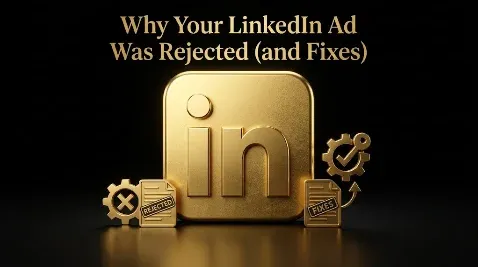
LinkedIn Ad Review and Rejection: Why It Happens and How to Fix It
LinkedIn aims to review every ad within 24 hours, and both new ads and edits to live ads go through this check before they can run. Ads get rejected when they break LinkedIn’s advertising policies, most often for unsubstantiated claims, a non-professional tone, landing-page problems, or lead gen form privacy issues. The catch that costs teams the most is that editing a rejected ad restarts the review clock, so a reject-fix-resubmit loop can quietly eat days of a launch window, and repeated rejections can even chip away at your account quality. The fix is to know the common triggers, run a clean-submission check before you submit, and build in a day or two of buffer. This guide covers the review timeline, why ads get rejected, the format-specific rules, how to fix a rejection, and how to pass the first time.
Key takeaways
- LinkedIn aims to review ads within 24 hours, and it reviews both new ads and any edits to existing ads before they go live.
- Ads are most often rejected for unsubstantiated claims, non-professional tone, landing-page mismatch, lead gen form privacy issues, prohibited content, or discriminatory language.
- Each ad format has its own review rules, and for carousels every card is reviewed separately, so one bad card rejects the whole ad.
- Editing a rejected ad restarts review automatically, a rejected ad does not spend, and repeated rejections can hurt account quality over time.
- Submit ads 24 to 48 hours before launch and run a clean-submission check first, so review never becomes the reason a campaign misses its date.
How long does LinkedIn ad review take?
LinkedIn states that it aims to review ads within 24 hours, and many clear faster, but reviews run longer during high-volume periods such as quarter-end. Both new ads and changes to existing ads are reviewed before they serve, so an edit is not instant even on a campaign that was already running. Some regulated categories take much longer: financial services ads, for example, can need extra verification that runs from a couple of days to a couple of weeks depending on tier. Check status in Campaign Manager by opening the campaign, going to the ads tab, and reading the Status column. If an ad shows “Creative rejected,” click the status to see exactly which policy was flagged, and make sure campaign emails are enabled in your contact settings so the rejection reason reaches you.
What does “in review” mean?
“In review” means the ad has been submitted and is waiting for LinkedIn to check it, both by automated systems and by human reviewers, against the advertising guidelines before it can serve. The ad is not live and is not spending while it sits there. This is normal for every new ad and every edit, so seeing it is not a problem on its own; it only becomes one when it drags past 24 hours or ends in a rejection. If an ad is stuck well beyond a day with no change, that usually points to a high-volume backlog or a technical hold, and contacting support to request a manual review is the way to unstick it.
Why do LinkedIn ads get rejected?
Ads are rejected when they conflict with LinkedIn’s advertising policies. The rejections cluster around a handful of specific, avoidable triggers.
| Rejection reason | Why it fails | How to fix it |
|---|---|---|
| Unsubstantiated claims (“#1”, “guaranteed”) | Claims that cannot be proven read as misleading | Soften or qualify, or back each number with a dated source |
| Non-professional tone (all-caps, urgency, emojis) | Reads as spammy or consumer-style | Rewrite in a calm, informational tone; drop urgency and emoji clutter |
| Landing-page mismatch | The page does not deliver what the ad promised | Build a dedicated page, or put the promised content above the fold |
| Lead gen form privacy issue | Privacy policy does not name LinkedIn, or the page is not secure | Update the privacy policy, use a valid HTTPS URL, drop unneeded fields |
| Addressing personal attributes | Implying you know a person’s traits breaks policy | Rewrite neutrally, in the third person |
| Prohibited or restricted content | Some categories are banned or limited by region | Remove it, or add the required disclaimer for regulated categories |
| Excessive text in the image | Cluttered creative fails review | Reduce the text overlay |
| Trademark or logo misuse | Using marks or logos you lack rights to | Use your own assets or keep written permission on file |
The personal-attributes and tone rules trip up B2B advertisers most. The instinct is to write “Are you a RevOps leader struggling with attribution?” in punchy, urgent copy, and LinkedIn reads both the personal address and the hype as violations. The compliant version states the problem calmly in the third person.
What are the format-specific review rules?
Beyond the general policies, each ad format has its own checks, and missing one is a common cause of a surprise rejection.
- Video: the first three seconds must avoid urgency or sensational content, and captions are expected.
- Carousel: each card is reviewed on its own, so a single non-compliant card rejects the entire carousel.
- Message and conversation ads: the sponsor disclosure must appear up front, the sender must be a real employee, and every branch and call to action has to be compliant on its own.
- Lead gen forms: the linked privacy policy must name LinkedIn as a data channel, the consent boxes cannot be pre-checked, and you should only ask for fields you genuinely need.
- Review-site badges and ratings: name the specific report, keep it current, and hold the usage permission for any badge.
The clean-submission checklist
The cheapest way to handle review is to pass it the first time. Run every ad through this clean-submission checklist before you submit:
- Every claim is provable or softened, with dated substantiation for any specific number.
- Copy is calm and informational, with no all-caps, urgency language, or emoji clutter.
- Copy speaks about the problem, not the person’s attributes. No “Are you a [title]” constructions.
- The landing page loads over HTTPS, matches what the ad promised, and has a privacy policy that names LinkedIn.
- Free-trial or freemium terms are fully disclosed, including whether a card is required.
- Logos, badges, and images are yours to use or covered by written permission, with minimal text in images.
- Each format’s own rules are met, and for carousels every single card is compliant.
An ad that clears all of these almost always passes on the first review, which is what keeps review off your critical path.
How do you fix a rejected LinkedIn ad?
It depends on the ad type. Direct Sponsored Content and Text Ads can be edited directly in Campaign Manager, and saving your changes resubmits the ad for review automatically. Sponsored Content that started as an organic Company Page post cannot be edited in place; instead you turn off promotion for that post, publish a new Company Page update that meets the guidelines, and sponsor the new one. In both cases, click the rejected status to read the exact policy flagged and fix that specific reason, since resubmitting the same problem just earns the same rejection. For tone and discrimination rejections, rewrite rather than appeal, because appeals on those rarely succeed.
Can you appeal a LinkedIn ad rejection?
There is no formal self-service appeal button, so the route is to contact LinkedIn support and ask for another look. If you do, be factual: say exactly what changed or why the ad complies, cite the specific policy it meets, and attach supporting evidence such as a case study for a claim or a screenshot of the corrected landing page. Keep the tone neutral, because adversarial appeals tend to be deprioritized. In most cases it is faster to read the stated reason, correct the ad, and resubmit than to wait on an appeal, since editing automatically sends it back through review.
Does editing an ad restart the review?
Yes, and this is the detail worth planning around. Editing a Direct Sponsored Content or Text Ad automatically sends it back into review, and replacing the post behind a Sponsored Content ad triggers a fresh review too. That means every round of a reject-fix-resubmit loop can cost you another day, and three rejections in a row can push a launch most of a week. It also means you should avoid cosmetic edits to a live, approved ad right before an important window, because even a tiny change puts it back in the queue and briefly stops delivery. Separately, note that even an approved ad on a brand-new account is capped near $100 a day until the account builds history, which is a delivery limit, not a rejection.
How to stop ad review from delaying your launch
Review is predictable, so treat it like any other lead time. Build and submit your ads 24 to 48 hours before you need them live, not on the morning of launch, so a single rejection still leaves room to fix and resubmit. Submit earlier around quarter-end and for regulated categories that need extra verification. Run the clean-submission checklist first so the initial review is likely to pass. And keep an approved, evergreen version of your core ad ready, so if a new creative gets stuck you can launch on the proven one and swap later. None of this is about the review itself; it is about never letting review be the reason a campaign misses its date.
Common ad-review mistakes
The mistakes are mostly timing and avoidable copy. Submitting ads the day they need to go live leaves no room for a rejection. Making a last-minute tweak to an approved ad and accidentally pausing its delivery for another review cycle is a close second. Resubmitting without reading the flagged policy, so it fails again, wastes a full cycle. Writing hyped, “Are you a [title]” copy that predictably trips the tone and personal-attributes rules is the most common content error. And launching a carousel where one card slipped through non-compliant takes down the whole ad.
Do not let review quietly cost you a launch
Here is the thread. Ad review does not cost you budget, because a rejected ad never delivers, but it can cost you the days and momentum of a launch window, and a pile of rejections can quietly drag on your account quality. So treat review as a known lead time, clean every ad against the checklist before it goes in, respect each format’s own rules, submit with a day or two of buffer, and keep a proven ad in reserve. Do that and review becomes a formality rather than a fire drill, which keeps your spend working toward pipeline on schedule. It pairs with getting your campaign setup and relevance right from the start. If you want your LinkedIn ads built to clear review and launch on time, you can book a demo.
Frequently Asked Questions
Q1. How long does LinkedIn ad review take?
LinkedIn aims to review ads within 24 hours, and many clear sooner, though reviews take longer during high-volume periods and for regulated categories like financial services, which can need extra verification lasting days to weeks. Both new ads and edits go through review before serving. Check status in Campaign Manager under the ads tab, and LinkedIn emails you the reason if an ad is rejected.
Q2. Why is my LinkedIn ad stuck in review?
Most often it is simply waiting in a busier-than-usual queue, which happens around quarter-end. An ad in review is not live and not spending. If it stays in review well beyond 24 hours with no change, that usually points to a backlog or a technical hold, and contacting LinkedIn support to request a manual review is the way to get it moving.
Q3. Why was my LinkedIn ad rejected?
Usually because it conflicts with LinkedIn’s advertising policies. Common triggers are unsubstantiated claims like “#1” or “guaranteed,” a non-professional tone with caps or urgency, landing-page mismatch, lead gen form privacy issues, copy that addresses personal attributes, prohibited or restricted content, excessive text in the image, and trademark misuse. Click the rejected status in Campaign Manager to see the exact policy flagged.
Q4. How do I fix a rejected LinkedIn ad?
Read the flagged policy first by clicking the rejected status, then fix that specific issue. Direct Sponsored Content and Text Ads can be edited in Campaign Manager, and saving resubmits them automatically. Sponsored Content built from an organic post cannot be edited in place: turn off promotion, publish a new compliant Company Page update, and sponsor that one instead.
Q5. Does editing a LinkedIn ad restart the review?
Yes. Editing a Direct Sponsored Content or Text Ad sends it back into review automatically, and replacing the post behind a Sponsored Content ad triggers a new review too. Because each edit can cost another day, avoid cosmetic changes to an approved, live ad right before an important launch, since even a small edit briefly stops its delivery.
Q6. Can you appeal a LinkedIn ad rejection?
There is no formal self-service appeal button, so you contact LinkedIn support and ask for another review. Be factual: state what changed or why the ad complies, cite the specific policy, and attach evidence like a case study or a corrected-page screenshot. Keep it neutral, since adversarial appeals get deprioritized. For tone and discrimination rejections, rewriting and resubmitting is usually faster than appealing.
Q7. How do I avoid getting my LinkedIn ads rejected?
Run a clean-submission check: make claims provable, keep the tone calm and professional, speak about the problem rather than the person, point to a working HTTPS landing page that matches the ad and has a privacy policy naming LinkedIn, disclose any trial terms, use only assets you own, and meet each format’s own rules, including every card of a carousel. Ads that clear those almost always pass first time.
Q8. Does a rejected LinkedIn ad cost money?
No. A rejected ad does not serve impressions, so it does not spend any budget. What a rejection costs you is time and momentum, especially if it pushes a launch, since fixing and resubmitting restarts the review clock. Repeated rejections can also weigh on your account quality over time, which is another reason to submit clean the first time.
More Featured Blogs
View All Blogs
LinkedIn Video Ad Benchmarks: View Rate, CTR, and CPV


LinkedIn Predictive Audiences: What Replaced Lookalikes

LinkedIn Website Demographics: See Who Actually Visits